Additional Automatic Printer Driver Installation with Vista 64 as a Print Server
Now that I'm running Vista 64, while most everything is running very smoothly, there's an occasional reminder here and there that I'm living in an alternate universe.
I'm still running a Canon Pixma MP500 Multifunction Inkjet and the fact that Vista 64 drivers were available for download confirmed that this Printer was a great decision.
However, when I tried to connect from one of my XP VMs or from my Wife's Vista32 machine, I was told that Drivers weren't available. I'm used to connecting to a printer in Windows "just working." I just visit the machine, like \\QUADPOWER, hit the Printers folder and double click the Printer. In this case, my system had only the 64-bit drivers I had already installed.
Here's how to tell your 64-bit system that it has 32-bit drivers it can serve to the family (or the reverse):
- From your server, go to the Printers folder and right click to get your Printer's Properties. Click the Sharing Tab and click Additional Drivers. You'll see this dialog or something like it.
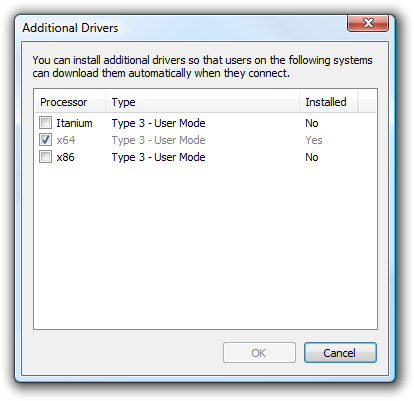
Here you can see that the only driver available is x64 on my system. Click the x86 checkbox and click OK. You'll be prompted for an INF file - the new printer driver. Now you need to find the Printer Driver... - Go get the 32-bit Driver for your printer. In my case the 32-bit Vista Driver was packaged in a WinZip EXE and it refused to run on this 64-bit system.
Trick: Because it's a WinZip Self-Extracting Archive, I renamed it from .EXE to a .ZIP file and unzipped it into a folder using the standard Windows unzip facilities..
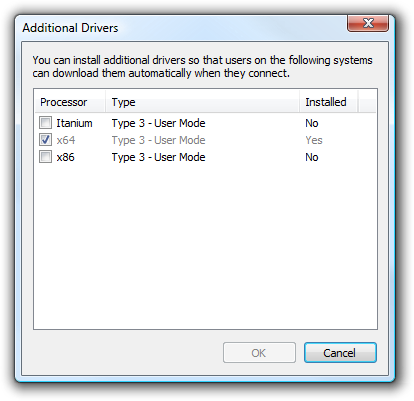
Next I pointed the Open File Dialog from before at the folder with the 32-bit Printer's INF files. In my case it was called Drivers so it was obvious. Sometimes you'll have to dig, but the are in there. You'll know you found it when the Additional Drivers dialog looks like this:_thumb.png)
.png)
Now I can point my XP or Vista machine at the Vista 64 \\QUADPOWER machine and it'll automatically install the correct drivers for the client machine.
About Scott
Scott Hanselman is a former professor, former Chief Architect in finance, now speaker, consultant, father, diabetic, and Microsoft employee. He is a failed stand-up comic, a cornrower, and a book author.


About Newsletter


Out of curiosity, though, why not use a network printer instead of sharing it via your PC?

Igor
-- Deus est ergo cogito

Some print servers can serve the appropriate driver to the client. Some can't. I had a network capable HP OfficeJet that was UPnP. It installed the drivers itself along with advertising it's network file sharing capabilities. It had an embedded card reader (SD, CF, etc.) and advertised that reader as a network device. Pretty cool. I've since "upgraded" to a Minolta that I had to share via my PC since it's only interface is USB.
I loves me some network capable printers though. :-)

I gave up trying to host a print server in my house a long time ago -- plus you have to deal with authentication and junk. Seems a lot simpliar to let the printer server on the printer take care of it; especially in a home environment.
Comments are closed.
BTW: Typo in 1st sentence: living, not leaving?