Deploying ASP.NET MVC on ASP.NET 2.0
 This post will be filled with disclaimers and warnings. They are not just to CYA, but also to C my A and avoid my getting sacked.
I've been working with Shawn Burke and Rob Conery and the magical Eilon Lipton to try to figure out a way to get ASP.NET MVC running under ASP.NET 2.0 SP1. Shawn had this idea and told Rob "go figure this out." Rob was really busy doing the MVC Storefront so he told me "go figure this out, you like this kind of freaky stuff."
Take a moment to look at my post on How to set an IIS Application or AppPool to use ASP.NET 3.5 rather than 2.0 for background on the physical relationship between .NET 2.0 and .NET 3.5. There's a lot of stuff going on between 2.0 and 3.5, even though the CLR is more or less the same.
I was brainstorming ways to get ASP.NET MVC running on a .NET 2.0 machine and there were a couple of ways. I could recompile/fork all the stuff at http://www.codeplex.net/aspnet and compile via #ifdefs or manually an ASP.NET 2.0 version. However, then I'd have to maintain multiple versions, it could get really messy really quick.
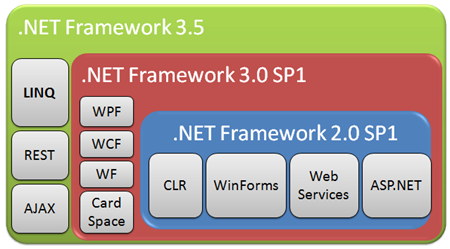
I ended up speaking to Brad Abrams and spent the last few weeks, on and off, talking to all the different groups that owned different parts of the framework. I expressed that I could get a Hello World ASP.NET MVC application working if I:
- Developed on Visual Studio 2008
- Targeted .NET 2.0 in Project Properties
- Deployed the Application to a .NET 2.0 SP1 machine
- Copied System.Core.dll local to the web apps /bin folder
It's that final step that we're not technically allowed to do, but I'm showing you how to do it in case you real;y want to ASP.NET MVC on a machine that you just can't put .NET 3.5 on yet.
Here's the disclaimers:

- This workaround is offered with exactly zero warranty or support. It's as-is, just an FYI on the blog. If this hack deletes files or kills your cat, you have been warned. No whining.
- In practice, no one really knows what might break. Microsoft didn't test this.
- You must not redistribute System.Core.dll to a 3rd party. You mustn't bundle it or ship it with your application.
- When you update to .NET 3.5, remove your local copy of System.Core.dll
- Don't GAC System.Core.dll.
- Don't taunt System.Core.dll.
- Take a moment and read #3 again.
- This just flat might not work for you. Sorry.
- Don't do this to any machine that you don't own.
- I wanted to have an even ten, so this is a placeholder disclaimer in case I forgot one.
After all those sunny disclaimers, I do hope that this helps someone in some small way to get a development site running on .NET 2.0 while you prepare for an upgrade to .NET 3.5.
What To Do
From an ASP.NET MVC Web Application, you'll need to set your Project Target Framework to 2.0 in Project Properties:
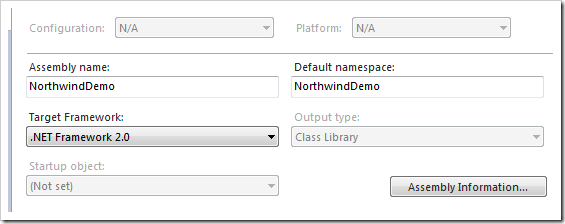
NOTE: This doesn't enable all of 3.5, or even much of .NET 3.5. But it does enable System.Web.Mvc and it's supporting assemblies to run as they are the ones with the reference to System.Core. However, remember, at this point, you and your project are living in .NET 2.0 world.
Running 2.0 means you don't have LINQ to SQL or Entity Framework or anything. You'll need to use something else. In my example code I'm using Davy Brion's NHibernate Northwind Sample as it's a .NET 2.0 compiled solution and it'll be acting as my Model.
VS 2008 Will Try to Stop You
When you add references to System.Web.Routing, System.Web.Abstractions and System.Web.MVC you'll get warnings like this one. Click Yes. This is VS trying (rightfully) to protect you from confusion and assembly errors as we'll see, and if you click "yes" you're saying you really know what you're doing. From this point on, we're on our own.
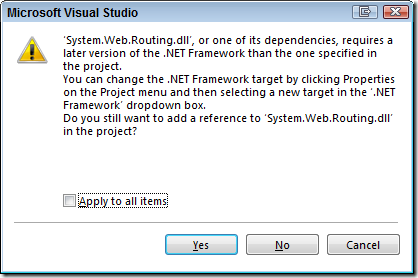
After this, you can develop your now .NET 2.0 application as you like, using 2.0 technologies. Some of the cooler ASP.NET MVC stuff won't work, particularly in the Views if you try to use lambdas with HtmlHelpers or use the var keyword. This is because while your development machine's compiler is 3.5 since you're using VS2008, when you deploy your ASPX views to the server side, that machine has only .NET 2.0 SP1 and will compile those views with the 2.0 compilers.
For example, this line of code in a view that showed a list of products...
<% foreach (var product in ViewData.Model) { %>
...gave me this error.
CS0246: The type or namespace name 'var' could not be found (are you missing a using directive or an assembly reference?)
If you see errors like this, you'll know you're using 3.5isms that's not understood by the 2.0 compiler in your Views.
Deploying to an ASP.NET Machine
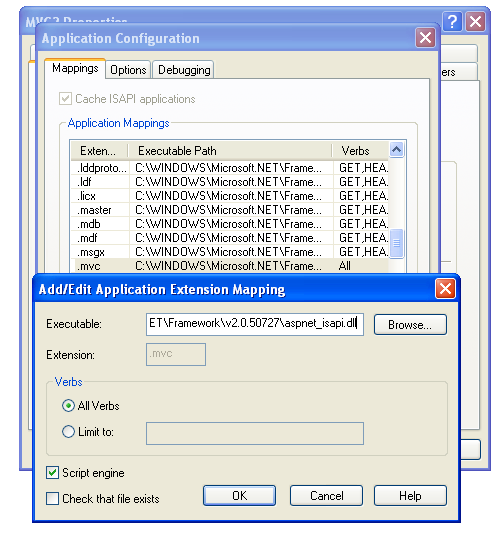
Since I'll be deploying on a machine with .NET 2.0 SP1, I'll use an XP SP2 Virtual Machine running IIS6. You can find a fantastic troubleshooting blog post by Omar Al Zabir on Deploying ASP.NET MVC on IIS 6 here. Suffice it to say, my routes use the .mvc extension, and I've associated .mvc with aspnet_isapi in the IIS6 management console.
I've also updated my routes to include the .mvc extension so IIS6 can "see" the requests:
routes.MapRoute("mvcroute", "{controller}.mvc/{action}/{id}"
, new { controller="products", action = "Index", id = "" }
, new { controller=@"[^\.]*"});
ASIDE: If you like, you can certainly enable pretty URLs using ISAPI_Rewrite and remapping requests to extensionless URLs to .mvc or you can configure IIS6 with a wildcard map. I prefer the former.
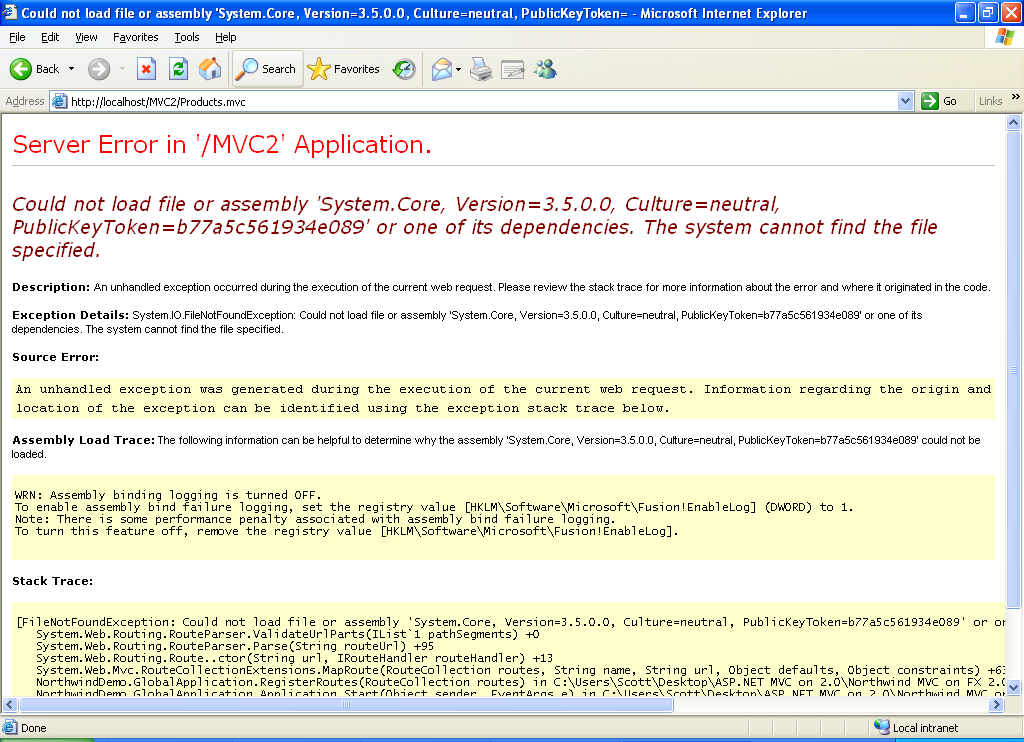
After I deploy my ASP.NET MVC application over to my .NET 2.0 SP1 machine, again, in this case running IIS6, I might see this YSOD indicating I don't have System.Core on that machine. This makes sense because this machine doesn't have .NET 3.5 installed.
Here's the moment of truth, and the moment we step from supported to unsupported. You can copy System.Core from your .NET 3.5 development machine (this is the machine running VS2008 that you're developing on) to the /bin folder on your .NET 2.0 SP1 machine. It's gotta be running .NET Framework 2.0 SP1 or this won't work.
System.Core is probably somewhere around "C:\windows\assembly\GAC_MSIL\System.Core\3.5.0.0__b77a5c561934e089" on your machine, but you're a bad person for even asking.
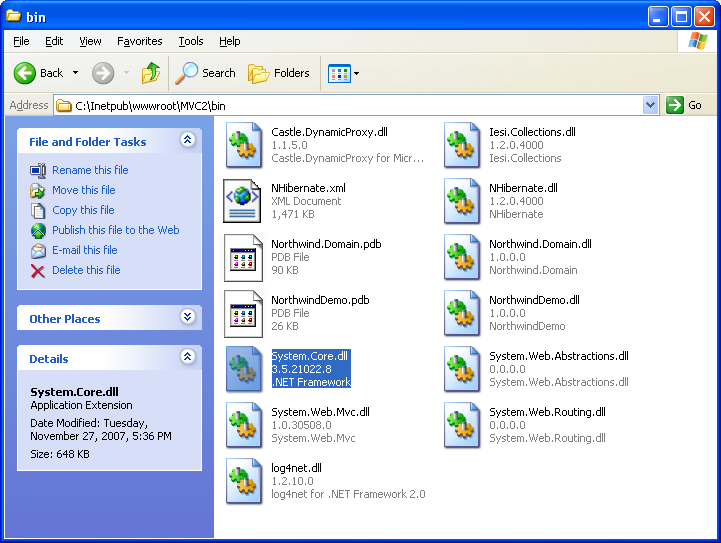
Copy that file into your bin folder on your deployment machine and you should be able to Refresh past this error page.
Things You Don't Get With This Hack
- Support from Me or Microsoft (in that order)
- Any .NET 3.5 feature like LINQ to SQL or LINQ to Entities
- Many of the HtmlHelpers and cool things that work with Lambdas won't work with inline script in Views because those pages will be compiled on the server using the 2.0 compiler.
- Good karma
Things You Appear to Get With This Hack
- ASP.NET MVC seems to work
- Anything you can do in ordinarily in .NET 2.0 works
- Bragging rights
- A spot on your immortal soul
- The ability to show your boss that ASP.NET MVC is a good thing, and maybe get him/her to let you upgrade the server to ASP.NET 3.5 with the promise of even cooler stuff.
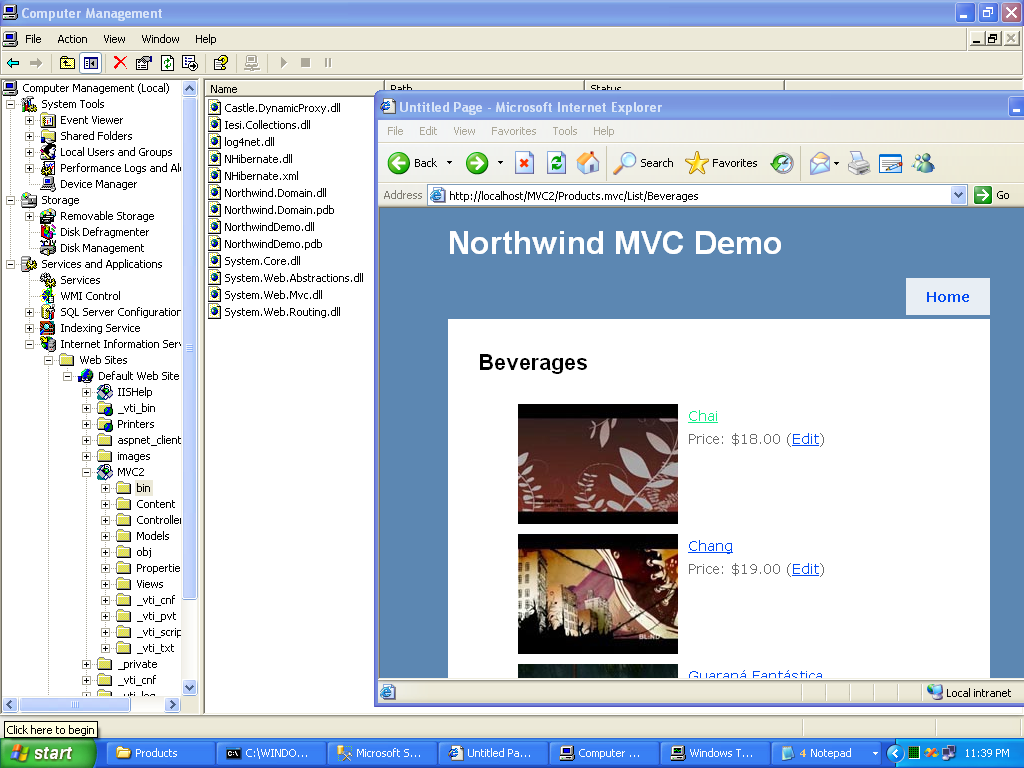
I was able to get a full Northwind Sample Site up using ASP.NET MVC Preview 3 with NHibernate against the Northwind Database in about two hours. This was my first NHibernate application of any size and I'm sure I did it wrong, but it works on my machine! Thanks again to Davy Brion's most excellent and thoughtful example, it was a great way for me to learn NHibernate (which has a bit of a learning curve).
Navigating Microsoft Legal
One thing that I wanted to add was that this was my first time navigating Microsoft Legal. I was dreading it. However, the LCA (Legal and Corporate Affairs) guy that helped me through it was exceedingly cool. Rather than what I expected - here's reasons why you CAN'T do this - he was more like, "what can we do to make this happen." I don't know if it's representative of Microsoft Legal in general, our division, or just this nice guy, but either way, it was cool and he's my go-to guy the next time I try something crazy.
Related Links
- .NET Framework 2.0 SP1 (x86 or x64)
- http://www.asp.net/mvc and http://www.codeplex.com/mvc
- Other Unsupported 3.5 on 2.0 Hacks
About Scott
Scott Hanselman is a former professor, former Chief Architect in finance, now speaker, consultant, father, diabetic, and Microsoft employee. He is a failed stand-up comic, a cornrower, and a book author.


About Newsletter

 Will Shaver
keep in mind that it only shows pretty basic CRUD usage though... there's a lot of querying goodness in nhibernate that is sadly lacking in my sample. Definitely worth looking into ;)


Ryan


Eddy.


Obviously not something someone would want to do for anything important, but it was a fun excercise.


Each time I compile or run (ctrl-f5 ) the web site I get a warning from Visual Studio. Where can I turn that off?
Thanks!
PS. TempDataDictionary could just move to System.Web and be a part of ASP.NET WebForms too if you ask me. System.Web.UI.Page and others could have a TempData property just like MVC views.

Rob was really busy doing the MVC Storefront so he told me "go figure this out, you like this kind of freaky stuff."
So true -- and an excellent post, too. :)

But it really strikes me as absurd, in a real environment, that the IT Management of your Company would let you develop an ASP.NET MVC application and then forbid you to install the 3.5 Framework (or to create new virtual servers where you can install it).

Incidentally, the tab order for that OpenID box is messed up, I would expect it to go through the other boxes (name, email, homepage) and then come to the 'type here' box. It just goes to the top of the page.

I have been using Mono's System.Core.dll with great success on 2.0. And if i want linq to xml, I pull in Mono's System.Xml.Core and System.Xml.Linq, and I think I needed a 3.5 version of System.Xml, so I removed the MS one from my project and used the Mono System.Xml. That is a bit extreme on the XML side, I'll admit, but those XML Literals in VB.NET are just so tempting!

Other than that, keep kicking ass. I'm using MVC a lot at work lately and loving it. Coming from a rails background to a .net shop was soul crushing until I discovered the ASP MVC project. Looking forward to the IronRuby team helping to bring all the new hotness together in dynamic happy fun time.


---------------------------
Microsoft Visual Studio
---------------------------
The .NET Framework version required by assembly 'System.Web.Mvc.dll' or one of its dependencies is higher than the project target .NET Framework version.
Do you want to add this reference to your project anyway?
---------------------------
Yes No
---------------------------


I recompiled System.Web.Routing.dll and System.Web.Abstractions.dll and removed all dependencies on System.Core.dll...
So because I didn't redistribute System.Core.dll, am I ok from the legal side?

When, Scott, when? :(

Anonymous - I'm not sure. Where did you get the code for Web.Routing and Web.Abstractions?
You have written "Here's the disclaimers" which would expand to "Here is the disclaimers". Obviously this should be "Here are the disclaimers" so you should have shortened it to "Here're the disclaimers" or "Here's the disclaimer list".
Sorry :-)
Comments are closed.