A better way to get an XmlDocument or XPathDocument from FOR XML AUTO without using SqlXmlCommand?
When you use SqlCommand.ExecuteXmlReader() you get an XML fragment - you get no root node. What's a good (clean, elegant, performant, etc.) way to get an XmlDocument or XPathDocument (for XSLT purposes) populated with the data returned - without using the SQLXML 3.0 SqlXmlCommand stuff? Secondary question - what good is ExecuteXmlReader() anyway?
Is this gross? It feels odd:
using (SqlConnection conn = new SqlConnection(connStr))
{
conn.Open();
SqlCommand command = new SqlCommand("select * from Customers as Customer for XML AUTO, ELEMENTS", conn);
XPathDocument xp = new XPathDocument();
XPathEditableNavigator xpathnav = xp.CreateEditor();
XmlWriter xw = xpathnav.PrependChild();
xw.WriteStartElement("Customers");
using(XmlReader xr = command.ExecuteXmlReader())
{
xw.WriteNode(xr,true);
}
xw.WriteEndElement();
xw.Close();
xp.WriteXml(XmlWriter.Create(Response.Output));
}
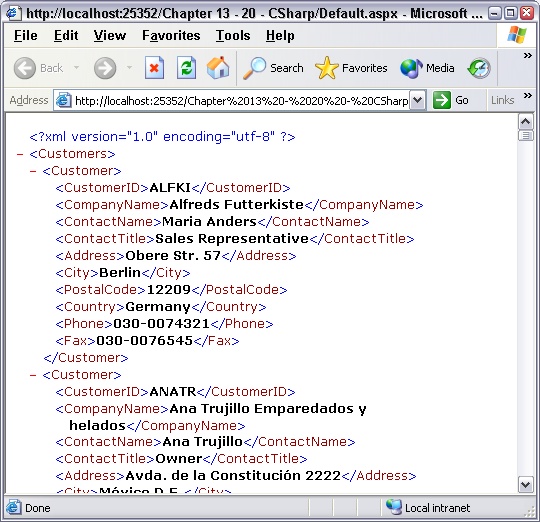
It works though, and produces this. Of course I wouldn't output it like this, I'd style the XPathDocument.
About Scott
Scott Hanselman is a former professor, former Chief Architect in finance, now speaker, consultant, father, diabetic, and Microsoft employee. He is a failed stand-up comic, a cornrower, and a book author.


About Newsletter

 oleg@tkachenko.com (Oleg Tkachenko)
Thanks Oleg!

Comments are closed.