Getting Things Done with SpeedFiler
 Omar's turned me on to SpeedFiler, and I'm loving it. I've talked about my personal system of organization before and my use of Getting Things Done.
In a nutshell, your Inbox is just that, your INbox. Not your "hold everything" box. If it's IN your INbox then it hasn't been processed. The basic processing rules are Do it, Drop it, Delegate it, or Defer it.
Everything else gets filed away for reference, and that's where SpeedFiler comes in. As with all useful niche utilities it is nicely priced at $19.95 (finally a company that understands pricing, unlike some.)
Outlook doesn't support "tagging" of Email messages (categories are a possibility, but they aren't very easy to set or search) so we have this big hierarchy of folders that typically run around in and drag-and-drop messages. Filing stuff isn't very quick if you're trying to bang through your inbox and get it down to zero messages.
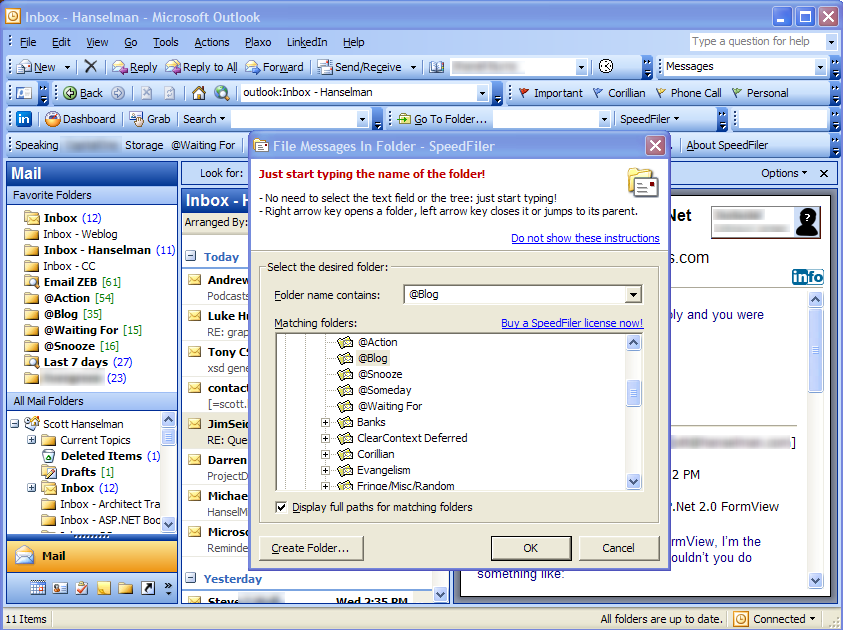
 SpeedFiler grabs Shift-Ctrl-V when a message is selected and pops up a dialog with the focus set to receive keyboard input immediately. So if I get a message that I want to blog about, I type:
Shift-Ctrl-V, @bl, Enter
and it's filed. As you're typing it looks up in the the list of folders an offers a list of folders that match you search string.
It's also got an unobtrusive toolbar that has dynamic buttons that change to show the names of the folders you've recently filed things to. That reduces filing to common areas down to one click.
There's a "Go To Folder" text box that you just type the name, or partial name, of a folder and hit enter and you're there.
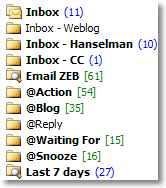
I put an @sign at the beginning of a number of folders to make them group together. In the "pure" GTD world those are supposed to be "context" that I work in, like @home and @office, so I'm breaking the rules a bit. These contexts are more mental than physical but they work for me.
Some small complaints are there's a pause when Outlook starts up when SpeedFiler enumerates the folders. My folders don't change that much, not more than a few times a week, so if the program would just store the hierarchy in alternate storage and start up with that cached information, it could use a background thread to "catch up" later.
Itzy, the author of SpeedFilter has a blog called Email Overloaded.
About Scott
Scott Hanselman is a former professor, former Chief Architect in finance, now speaker, consultant, father, diabetic, and Microsoft employee. He is a failed stand-up comic, a cornrower, and a book author.


About Newsletter



Comments are closed.
http://ewal.net/stuff/speedfiler.png