How to convert a text file with a specific Codepage to UTF-8 using Visual Studio .NET
A partner recently sent me a RESX (.NET Resource) text file in Hebrew for a project I'm working on. When I opened it, it looked really bad, as seen in the screenshot below.
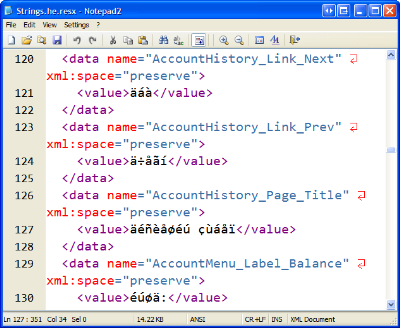
I assumed this was a classic ANSI vs. UTF-8 problem, so I tried to do a quick conversion within Notepad2, but that resulted in nonsense East Asian characters from all over:
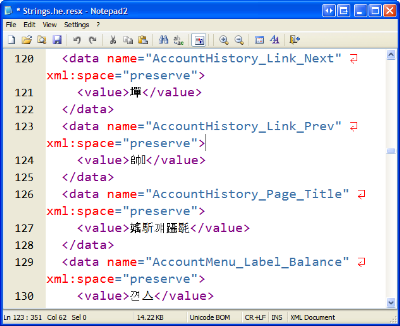
This means that the original file was in fact in ASCII, but just not using an English codepage. I've talked a little about codepages in the Hanselminutes Podcast on Internationalization in the past and regularly point folks to the Joel on Software article on Internationalization.
In a nutshell, a codepage is a "view" that someone can use to look
Ordinarily, I recommend that everyone (including Israelis) use Unicode/UTF-8 to represent their Hebrew characters, however, a lot of folks who write Hebrew use the Windows 1255 codepage for their encoding. (BTW, go here, scroll down, and bask in the glory of this reference site.)
So, how do I convert from one codepage to another, or in my case, from Hebrew 1255 to UTF8?
We start with Visual Studio.NET.
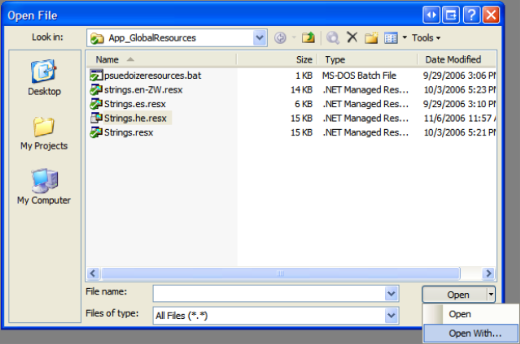
- From the File menu, select Open to bring up the dialog. Note that you'll have to select a file before the Open button is un-grayed.
- Select the tiny down-arrow on the right side of the Open button and select "Open With..."
- -5 points for obscure UI design here
- Next, select "Source Code (Text) Editor with Encoding." The With Encoding part is crucial, otherwise the next dialog won't appear.
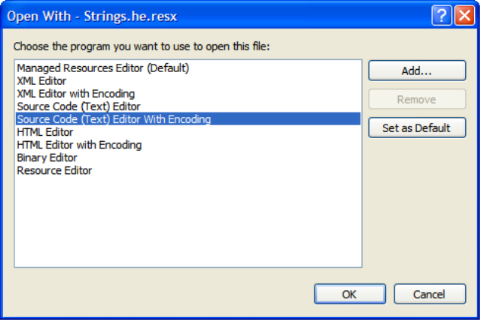
- From the Encoding Dialog, select the source document's encoding - in my case, that's Hebrew 1255.
- -10 points for obscure UI design here.
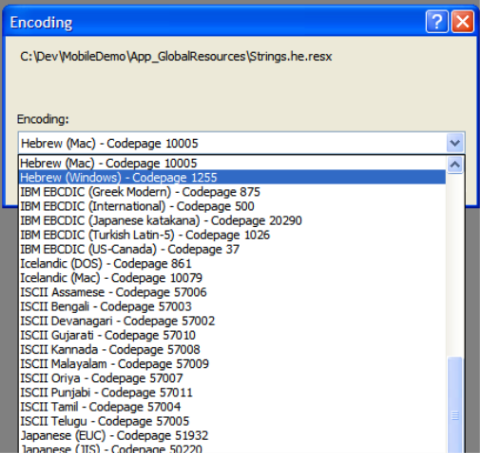
- At this point the document should appear correctly in Visual Studio.NET. Now, reverse the process by selecting File|Save As and clicking the tiny down arrow on the Save button, and selecting both the desired Encoding and Line Endings.
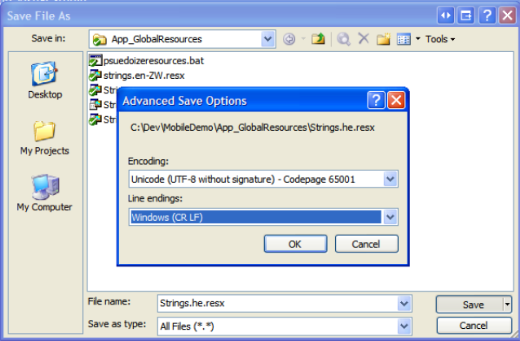
Now you've successfully normalized your document to UTF-8, and it should be usable as a RESX file or whatever you like. Here's that same document loaded into Notepad2.
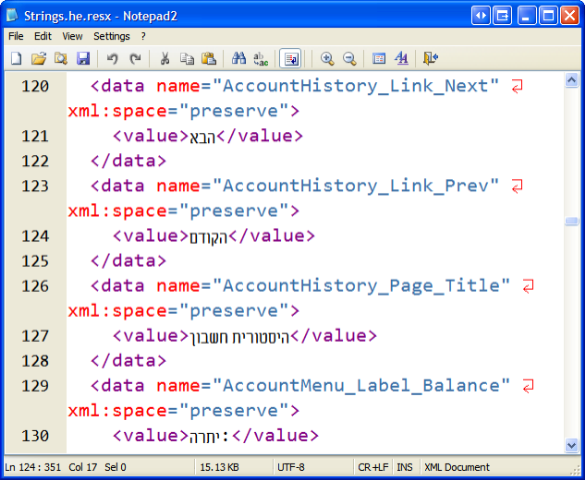
And it was Good.
About Scott
Scott Hanselman is a former professor, former Chief Architect in finance, now speaker, consultant, father, diabetic, and Microsoft employee. He is a failed stand-up comic, a cornrower, and a book author.


About Newsletter

 JohnnyNine
I'm working as software engineer in the localization business - you probably can imagine how often I have to mess around with silly codepage problems :-/ I think there is just one tool with similar conversion capabilities like VS, which furthermore is widely available: MS Word. Sounds strange, but seems to be so.


I actually purchased UltraEdit because I had a need to deal with .rc files in several codepages, and it was the only editor that made dealing with multiple encodings and/or codepages possible for me to figure out.
Note that I'm not by any means saying that it's the only editor that can deal with them - it's just I couldn't figure out how to easily do my work with other editors. UE made it pretty easy, though you do have to remember to not only change the codepage, but also the font and the font's script - UE always reminds me of that. This is one of the the only pestering, constant reminder dialogs that I actually appreciate. 'Cause, Lord knows that when I go to do that type of work again 8 months from now, I sure as Hell won't remember.
Oh well, UE's pretty cheap, and it's a pretty good editor to have in my toolbox anyway.

Comments are closed.