Modifying the default code generation/scaffolding templates in ASP.NET MVC
One of the things people like the most about my ASP.NE MVC 2 Ninja Black Belt Tips video, besides the Bill Cosby sweater, is the tip where I show how to modify the default CodeTemplates that are used in Code Generation in ASP.NET MVC (either version).
Eilon mentioned it on an internal mailing list this week so I thought it'd be worth surfacing again in case you haven't heard of this, Dear Reader.
Soon, we'll see even more powerful, flexible, and fun ways to customize your own Scaffolding in ASP.NET MVC 3, so keep an eye out, 'cause it's coming.
Bring the CodeTemplates local to your project
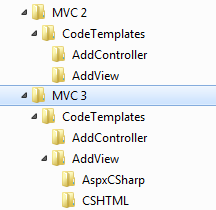 When you use the Visual Studio "tooling" (that means dialogs and stuff) to Add View or Add Controller, you're actually executing a T4 template and generating a little bit of code. Where does this start and how can you change it?
Try this. Create a new ASP.NET MVC project.
Now, go to:
C:\Program Files (or x86)\Microsoft Visual Studio 10.0\Common7\IDE\ItemTemplates\CSharp (or Visual Basic)\Web\MVC (or 2) 3\CodeTemplates
See all those folders? Turns out everything under CodeTemplates are T4 templates that can be either modified in place or even better, can be brought local to your project. Local CodeTemplates will override the global ones.
Copy that folder (or just subfolders like AddController, or AddView) to your ASP.NET project. I do this by dragging from Explorer directly into the Visual Studio Solution Explorer as seen here:
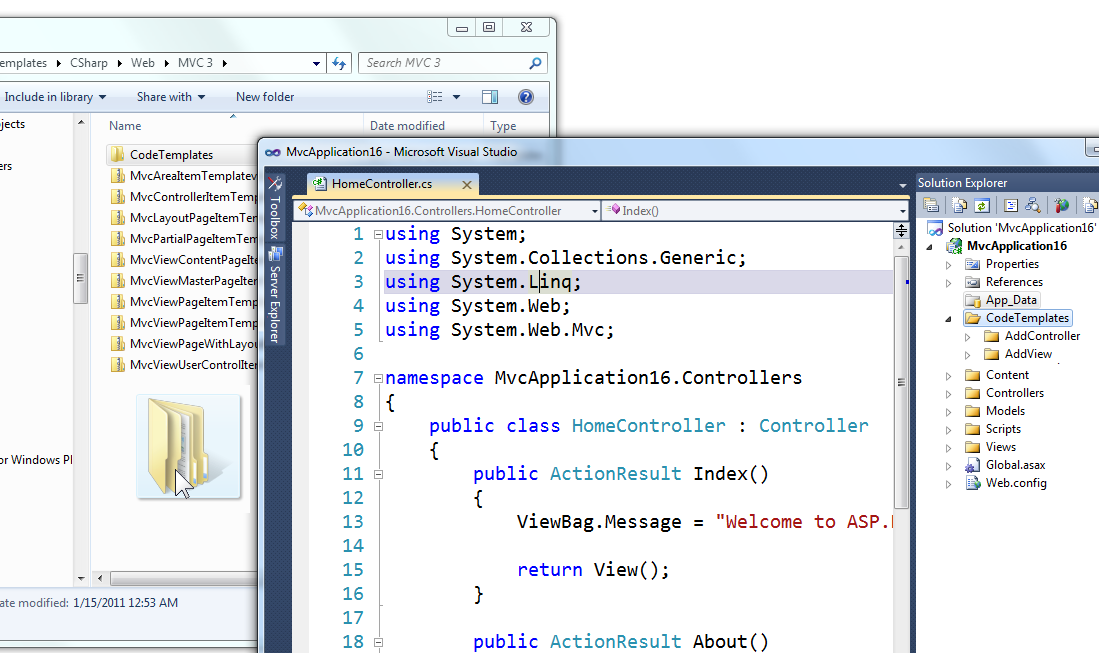
You might get some errors when you drop the folder. Ignore them and instead, select the Templates using Ctrl-Click, then right click and select Properties. (You can delete any templates you won't be using.)
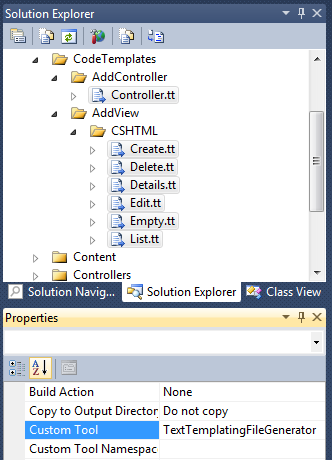
Now, see where it says Custom Tool? Clear that string out completely. You're tell Visual Studio that you don't want these T4 Templates to be run during a build. They will only be called manually by the Tooling dialogs like Add View and Add Controller.
You change these templates, or in the case of Add View you can make your own. For example here I've made a new "My Awesome List.tt" as a copy of List.tt and it shows up in the Add View dialog.
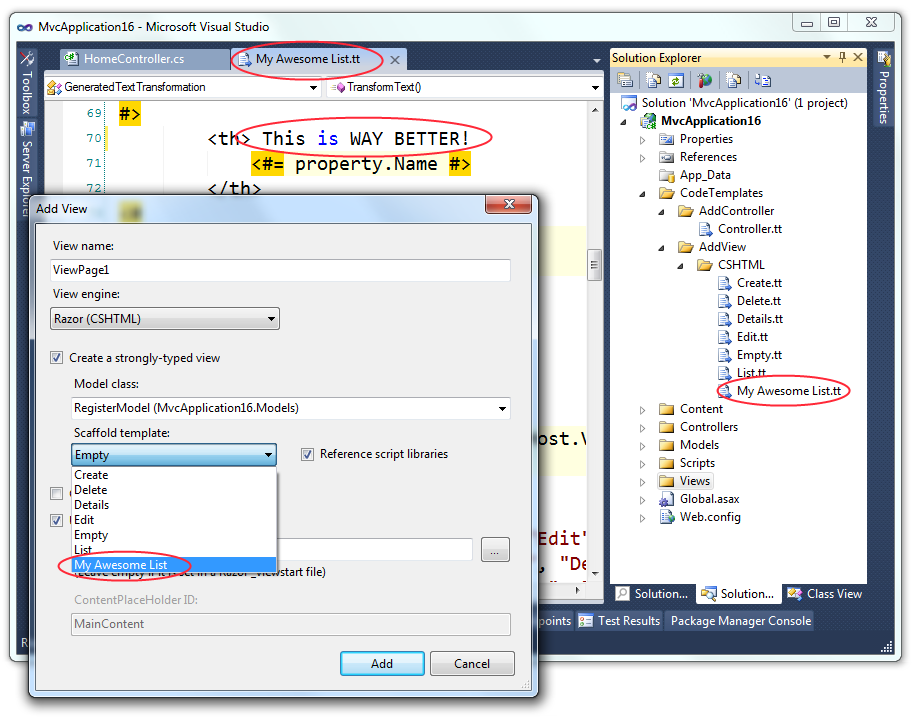
Now I can not only totally customize what gets generated from the Add Controller and Add View dialogs, I can add custom templates to the drop down. Most importantly, these changes live in the CodeTemplates folder of my project and are carried along with my project in Source Control so others on my team or company can use them as well.
Have you customized yours? Enjoy.
Related Links
- T4 (Text Template Transformation Toolkit) Code Generation - Best Kept Visual Studio Secret
- The Weekly Source Code 43 - ASP.NET MVC and T4 and NerdDinner
About Scott
Scott Hanselman is a former professor, former Chief Architect in finance, now speaker, consultant, father, diabetic, and Microsoft employee. He is a failed stand-up comic, a cornrower, and a book author.


About Newsletter

 Rick Stone
http://nuget.org/List/Packages/Mvc3CodeTemplatesCSharp


I've been working with T4 for a long time and I am a great fan of it; and it's great to see that this templates for MVC are fully and easily customizable.
I am trying to develop my controller template, and I was wondering where/how to find and API specification of the MvcTextTemplateHost, and how it interacts with the UI Dialog "Add controller...", and if it's possible to customize/develop our own dialog that runs these templates. The same applies for the "Add view..." templates and dialog.
I left my question at http://stackoverflow.com/questions/5938872/where-can-i-find-the-api-specification-for-mvctexttemplatehost
Thanks!
Sergi

I have added few more view templates via MVC scaffolding. The folder structure mentioned here and the one, scaffolding follows are different. Is it possible to use the Scaffolding structure to add the names of custom views in Add View dialog? Or do I need to duplicate the files and keep synching them?
Thanks
Hemant

Thanks Scott!

Comments are closed.