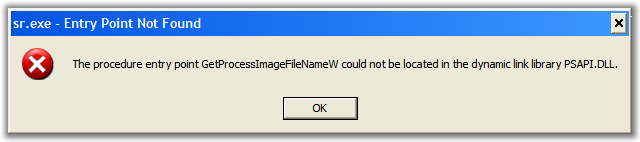
The procedure entry point GetProcessImageFileNameW could not be located in the dynamic link library PSAPI.DLL (after IE7)
If you start getting this stunning error on startup, you likely:
- Just installed IE7 Beta2 or Beta3
- Also have installed one of:
- Verizon DSL schmutz
- Ergodex Manager for the DX1 Pad
- SmartBridge (MotiveSB.exe)
- Something else that is distributing an old version of PSAPI.dll
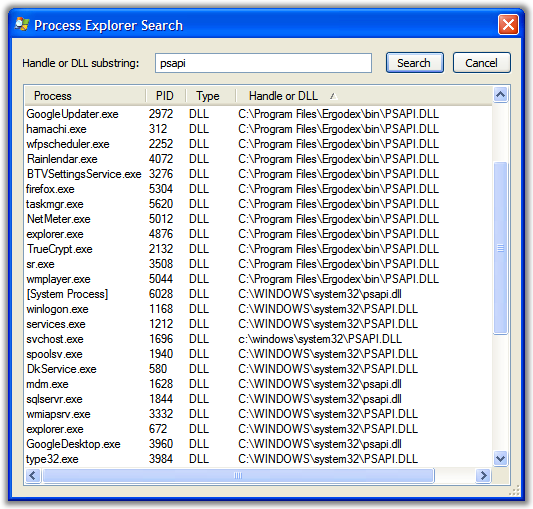
The solution is to search your hard drive for all instances of PSAPI.dll and rename them to something like PSAPI.old.
UPDATE: I've received one report where someone had trouble with this tip, and he suggested leaving the PSAPI.dll in c:\windows\system32 alone. I didn't, but you should be aware and possibly try first with that one DLL left alone.
This problem was debugged using ProcessExplorer to ask folks (other processes) WHERE their PSAPI came from...
Crisis averted, at least for me.
About Scott
Scott Hanselman is a former professor, former Chief Architect in finance, now speaker, consultant, father, diabetic, and Microsoft employee. He is a failed stand-up comic, a cornrower, and a book author.


About Newsletter

Comments are closed.