Scott Hanselman

Being a Remote Worker Sucks - Long Live the Remote Worker

February 26, 2013 Comment on this post [68] Posted in Musings | Remote Work
Sponsored By

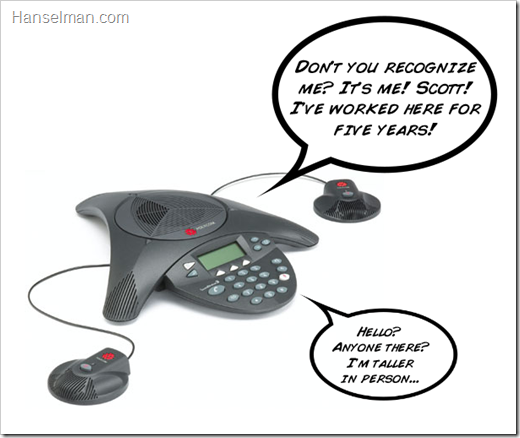
My voice coming out of a Polycom phone. Is anyone there? It's me, Scott!I've been a 100% remote worker at Microsoft for just about 5 years now. My last two jobs were both 7 year long gigs, so this isn't the longest I've worked somewhere, but clocking in at a half-decade, it's the longest I've worked remotely. Given that I haven't yet been fired, it's fair to say that I'm a pretty good remote worker.

I've been writing about Being a Remote Worker on the blog here for a long time.

Being remote is wonderful and it sucks.

This week former Google Employee #20 and current Yahoo CEO Marissa Mayer declared that all remote workers need to head into the office (and in some cases, move house) before June.

If I got this memo while working Remote at Yahoo I'd quit that moment. I would probably quit with some flair as well. Talk about completely demotivating.

I see this ban on Remote Work at Yahoo as one (or all) of these three things:

  • A veiled attempt to trim the workforce through effectively forced attrition by giving a Sophie's Choice to remote workers that management perceives as possibly not optimally contributing. It's easy to avoid calling it a layoff when you've just changed the remote work policy, right?
  • A complete and total misstep and misunderstanding of how remote workers see themselves and how they provide value.
  • Pretty clear evidence that Yahoo really has no decent way to measure of productivity and output of a worker.

Ultimately, though, this comes down to trust, and trust can be found or lost on every page of a company's policies. You were hired as a professional; are you trusted to be a professional? Working remotely requires your company to trust you can do the work not only without them seeing you, but also without constant physical interaction with your teammates.

I saw this tweet yesterday and I agree. Remote working isn't awesome. There are great aspects, but parts just sucks.

Here's why it sucks and what I do about it.

Why Working Remotely Sucks

There's a few reasons why being a remote worker sucks.

Guilt Sucks

Animated gif of a worker not workingAll this said, it's REALLY hard to be remote. I propose that most remote workers work at least as hard, if not more so, than their local counterparts. This is fueled in no small part by guilt and fear. We DO feel guilty working at home. We assume you all think we're just hanging out without pants on. We assume you think we're just at the mall tweeting. We fear that you think we aren't putting in a solid 40 hours (or 50, or 60).

Because of this, we tend to work late, we work after the kids are down, and we work weekends. We may take an afternoon off to see a kid's play, but then the guilt will send us right back in to make up the time. In my anecdotal experience, remote workers are more likely to feel they are "taking time from the company" and pay it back more than others.

You might poo-poo the guilt, but ask around to your remote brethren. It's there, they just don't talk about it.

Being Unseen Sucks - Out of Sight, Out of Mind

A few months back we had a standup meeting and a boss couldn't get the web cam to work (It's been 5 years but even now they usually spend about 10 minutes messing about with the webcam before giving up and just having me call in). All this while 20 workers who "showed up" stare daggers (I'm assuming) into the Klingon Phone and the guilt piles on.

Anyway, we were going around the table (remember I'm the invisible guy in the center of the table) and then the meeting ended. I was muted, and was like "Hey, guys? It's me...Scott...I'd like to get you up to date on what I'm working on..."

"Guys?"

VPN is a Second-Class Citizen

No matter what your IT says, no matter how fancy your Smart Card is, or even if you have "Direct Access" enabled at work (basically your machine is at home, but always internal) you're remote. Every week you'll hit a site that doesn't work unless you're inside. You'll be constantly prompted for passwords, you'll be told certain scripts or installers don't work as a remote worker.

I have to drive into the office at least quarterly JUST for the purpose of dealing with issues like this.

People Ask "When you are up next?"

This one is the worst. "When are you coming to campus next?"

I'm online all day, every day. I've got HD webcams, Lync, Skype, GChat, hell I got Chat Roulette, on every machine I own. You don't think to call me for 3 months, but when you see me, you're all like "let's get you plugged into the project..."

I'm absolutely available anytime to talk. We can do a call, a chat, or best yet, a hi-def video call. Trust me, I'm at your disposal if you'll only take a step forward.

Ways to make Remote Working work

They are watchingFirst, it DOES depend on the job. We have folks like Brian Harry who lives on a farm in the Carolinas, but he's also got a large team over there. They aren't on campus, but there are folks he works with closely. We have folks like Steve Sanderson who works in London for a team in Redmond, but his job is very focused and "the code don't lie." I suspect that directing a complete feature team while remote would be considerably harder than participating on a feature team. That's one of the reasons I moved jobs and gave up my team. I feel better as an individual contributor with a clear focus.

Before I started on the ASP.NET Product Team, I used to run a team of folks when I worked in MSDN. Every one of us was remote. In fact, we were in all four corners of the US - Oregon, San Diego, New England, Florida.

Our jobs were discrete, directed and clear. We were laser-focused and each worked well remotely. Here's some things that have worked for me and others.

Status, Status, Status

Remote workers need to make it easy for folks to answer the question "What is that person working on?" This is somewhat of a double standard, since they may have no idea what the person in the next office is working on, but that woman shows up every day, so she must be productive, right?

Regardless, when I ran the team, we'd send out a list of three things each Monday that we wanted to accomplish that week. We'd follow up on Friday with what happened to those three things - what worked and what didn't.

Do be seen

I used to come up every month, but since I travel to conferences and customers a lot (plus budget issues) I go to Microsoft about once a quarter. When I'm there it's a flurry of meetings as "relationship building." That's business-speak for talking, talking, talking so that they remember why they hired you. It's comforting to the locals when the remote shows up. Try to get to the office when you can.

We made a "virtual portal" from Portland to Seattle so that anyone could peek in an see either side. We just need to circle it in Orange and Blue.

Team Building

When you ARE in a group, take any opportunity to "team build." I used to think this was touchy-feely nonsense, but truly, shared experience in a non-work context can totally transform relationships. I try to hang out with the team whenever I'm in town, and just check in with them, their families, and other non-work stuff.

Find a Place to Be Productive

Often just being a home can drive you nuts. I try to get out a few times a week. I've worked from the mall, from Starbucks, from McDonald's (free wi-fi, sue me) and from a park bench. I find that just having people walking around makes me feel more productive. Their movement and energy keeps me focused.

Try different places, find your place, but don't be afraid to mix it up.

Get Feedback

During 1:1s with my boss I always come with lists and lists of what I'm working on and why it's useful. There's always this Spidey Sense that "well, it's been a good gig, but this remote thing isn't working out." He's very good and assuaging that concern, but it's still there.

Make sure you're getting feedback on your work and you know you're on track with you're working on. Ask for feedback. That means ASK. "Do you feel I'm on track with X? Are you happy with what you're seeing with Y?" It's hard but it's important.

Know Every Collaboration Tool

We use Lync at work, but I also use Skype, GChat, Join.me, straight VNC, Windows Remote Assistance, CoPilot and a dozen others. If one doesn't work for some reason, don't waste time, just move to the next one. If someone starts to associate you, the remote worker, as a symbol for technical difficulties it will slowly warp their perception of you. Make it easy.

I have a small shared office space with a camera I can turn on remotely. This means a boss can walk in and "meet" me without them having to think. That makes it easier for a boss to work. Bosses need to manage, not mess around with cameras.

Be Available

A caveat to this one: Be Available During Work Hours. Don't overcompensate and be the person who is online at 5am or answers emails on Sunday. Just make sure that from 9 to 5 you are 100% available via SOME way that your boss knows about.

How do you make remote working work?

Related Links


Sponsor: Free eBook - 50 ASP. NET & SQL Server performance tips from the dev community, to help you avoid, find, and fix performance issues in your ASP.NET app. Download it from http://red-gate.com/50ways

About Scott

Scott Hanselman is a former professor, former Chief Architect in finance, now speaker, consultant, father, diabetic, and Microsoft employee. He is a failed stand-up comic, a cornrower, and a book author.

facebook bluesky subscribe
About   Newsletter
Hosting By
Hosted on Linux using .NET in an Azure App Service

RELEASED - Download Internet Explorer 10 for Windows 7

February 26, 2013 Comment on this post [58] Posted in ASP.NET | HTML5 | Win7
Sponsored By

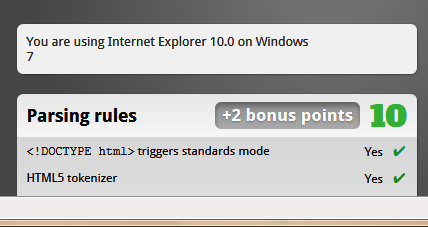
IE10 for Windows 7Just about a month ago the IEBlog published a post to allow business to manage the update schedule for Internet Explorer 10. It says "this approach lets organizations control when they are ready to deploy IE10 to their Windows 7 users." I took from this that IE10 on Windows 7 was imminent.

Today it's out. You can download IE10 for Windows 7 now. The details are over at the IE blog.

In the next few weeks and months Windows 7 machines will get automatically upgraded to IE10. For Web Developers like me, that means that between Windows 8 which already has IE10 and all these Windows 7 users who will now have IE10, that more people will have a modern browser than ever before.

IE10 was faster on my machine than IE9, and they say it is smarter about battery life. It also has IE10's upgraded JavaScript engine and includes spell check with auto-correct (finally!). Benchmarks are benchmarks but SunSpider implies about 40% faster than IE9, while PeaceKeeper looks like 25%. The V8 benchmark looks more like 100% faster. Point is, it's faster. How much faster? Depends on who you ask. Your mileage and machines will vary.

Once you've upgraded to IE10, go check out some of these sites. Be sure to view the source!

  • http://ie10bethethief.com - Robert Kirkman from Image Comics (You know him from The Walking Dead) also has a great comic I get each month on Comixology called Thief of Thieves.
    • This new site for Thief of Thieves not only has some great art (lots of SVG!) but also is a good example of using touch and the W3C Pointer Events standard. According to the IE blog, it also uses:
      • CSS3 animations for some of the larger scene transitions on the site
      • MSGesture API for handling more advanced pointer interactions like the safe cracking exercise
      • pageVisibility API to detect when an open page isn’t being actively used so we can control audio appropriately
      • setImmediate API to improve performance and power consumption on tablet devices. SetImmediate, like setInterval and setTimeout, is a timing API and requests the CPU to process the instruction as soon as it’s possible to.
  • Atari Arcade - Lots of classic Atari games, remade using HTML5 and Touch on the web.
  • Pulse - Very cool news aggregator done entirely in HTML5 with support for swipes and multi-finger gestures. Also works nice on mobile phones with responsive design.
  • Contre Jour - The 2011 iPad game of the year is now written in HTML5/JavaScript and CSS3. It works really well on touch systems like my Ultrabook. This originally came out in October but they've just added 20 new levels and it's free!

Developers

Enjoy!


Sponsor: Free eBook - 50 ASP. NET & SQL Server performance tips from the dev community, to help you avoid, find, and fix performance issues in your ASP.NET app. Download it from http://red-gate.com/50ways

About Scott

Scott Hanselman is a former professor, former Chief Architect in finance, now speaker, consultant, father, diabetic, and Microsoft employee. He is a failed stand-up comic, a cornrower, and a book author.

facebook bluesky subscribe
About   Newsletter
Hosting By
Hosted on Linux using .NET in an Azure App Service

Hanselman's Newsletter of Wonderful Things: February 4th, 2013

February 25, 2013 Comment on this post [3] Posted in Newsletter
Sponsored By

I have a "whenever I get around to doing it" Newsletter of Wonderful Things. Why a newsletter? I dunno. It seems more personal somehow. Fight me.

Still, it's one more site to check and it's a hassle for some of you  Dear Readers. Therefore, I will still do the newsletter, but I'll post each newsletter to the blog some weeks later.

You can view all the previous newsletters here. You can sign up here Newsletter of Wonderful Things or just wait and get them later on the blog, which hopefully you have subscribed to.


Hi Interfriends,

Thanks again for signing up for this experiment. Here's some interesting things I've come upon this week. If you forwarded this (or if it was forwarded to you) a reminder, you signed up at http://hanselman.com/newsletter and the archive of all previous Newsletters is here.

Scott Hanselman

(BTW, since you *love* email you can subscribe to my blog via email here: http://feeds.hanselman.com/ScottHanselman DO IT!)

P.P.S. You know you can forward this to your friends, right?


Sponsor: Big thanks to this week's sponsor. I've checked this book out myself and it's VERY useful. Free eBook – 50 ASP. NET & SQL Server performance tips from the dev community, to help you avoid, find, and fix performance issues in your ASP.NET app. Download it from http://www.red-gate.com/50ways

About Scott

Scott Hanselman is a former professor, former Chief Architect in finance, now speaker, consultant, father, diabetic, and Microsoft employee. He is a failed stand-up comic, a cornrower, and a book author.

facebook bluesky subscribe
About   Newsletter
Hosting By
Hosted on Linux using .NET in an Azure App Service

You're just another carriage return line feed in the wall

February 20, 2013 Comment on this post [77] Posted in Musings
Sponsored By

An image of a screaming face from Pink Floyd's "The Wall" album, coming out of a wall as if the wall were elastic, with the characters CR/LF in its mouth

I love getting pull requests on GitHub. It's such a lovely gift when someone wants to contribute their code to my code. However, it seems there are three kinds of pull requests that I get.

  1. Awesome, appreciated and wanted.
  2. Not so good, thanks for trying, but perhaps another time.
  3. THE WALL OF PINK

I'd like to talk about The Wall of Pink. This is a pull request that is possibly useful, possibly awesome, but I'll never know because 672 lines (GitHub tells me) changed because they used CRs and I used LFs or I used CRLF and they used LF, or I used...well, you get the idea.

There is definitely a problem here. But what's the problem? Well, it's kind of like endianness, except we're still talking about it in 2013.

"A big-endian machine stores the most significant byte first—at the lowest byte address—while a little-endian machine stores the least significant byte first." - Endianness

Did you know for a long time Apple computers were big endian and Intel computers were little endian? The Java VM is big endian. I wrote shareware code generator 16 years ago that generated a byte array on an Intel PC that was later entered into a PalmPilot running a Motorola 68328. This was the last time I thought about endianness in my career. Folks working on lower-level stuff do think about this sometimes, admittedly, but the majority of folks don't sweat endianness day to day..

TCP/IP itself is, in fact, big endian. There was a time when we had to really think about the measurable performance hit involved in using TCP/IP on a little-endian processor. But we don't think about that anymore. It's there but the abstraction is not very leaky.

It's years later, but CR/LF issues plague us weekly. That Wall of Pink I mentioned? It looks like this. I had to scroll 672 lines before I saw the +green where the added lines were added. Who knows what really changed here though? Can't tell since this diff tool thinks every line changed.

image

Sigh.

Whose fault is this?

Perhaps we blame Émile Baudot in 1870 and Donald Murray in 1899 for adding control characters to instruct a typewriter carriage to return to the home position plus a line feed to advance the paper on the roller. Or we blame Teletype machines. Or the folks at DEC, or perhraps Gary Kidall and CP/M for using DEC as a convention. Then the bastards at IBM who moved to ASCII from EBCDIC and needed a carriage return when punch-cards fell out of favor.

The text files we have to day on Windows still have a CR LF (0D 0A) after every line. But Apple uses just uses a line feed (LF) character. There's no carriage to return, but there are lines to advance so it's a logical savings.

Typewriter picture via Wikimedia Commons

Macs and PCs are sharing text more than ever. We live in a world where Git is FTP for code, we're up a level, above TCP/IP where Endianness is hidden, but still in text where CR LF's aren't.

We store our text files in different formats on disk, but later when the files are committed to Git, how are they stored? It depends on your settings and the defaults are never what's recommended.

You can setup a .gitattributes per repo to do things like this:

*.txt -crlf

Or you can do what GitHub for Windows suggests with text=auto.

# Auto detect text files and perform LF normalization
* text=auto

What's text=auto do?

This ensures that all files that git considers to be text will have normalized (LF) line endings in the repository. The core.eol configuration variable controls which line endings git will use for normalized files in your working directory; the default is to use the native line ending for your platform, or CRLF if core.autocrlf is set.

GitHub for Windows offers to normalize the repository's line endingsIt uses the native line ending for your platform. But if you spend a few minutes googling around you'll find arguments several ways with no 100% clear answer, although most folks seem to believe GitHub has the right one.

If this is the right answer, why isn't it a default? Is it time to make this the default?

This is such a problem that did you know GitHub for Windows has dedicated "normalize your repo's CRLF" code? They'll fix them all and make a one-time commit to fix the line endings.

I think a more complete solution would also include improvements to the online diff tool. If the GitHub repro and server knows something is wrong, that's a great chance for the server to suggest a fix, proactively.

Solutions

Here's some possible solutions as I see it.

  • Make Windows switch all text files and decades of convention to use just LF
  • Git needs to install with correct platform-specific defaults without needing .gitattributes file
  • Have the GitHub web application be more proactive in suggesting solutions and preventing badness
  • Have the GitHub for Windows desktop application proactively notice issues (before I go to settings) and offer to help
  • Make the diff tool CR/LF aware and "do the right thing" like desktop diff tools that can ignore line ending issues

Until something is done, I'll always tense up when I see an incoming pull request and hope it's not a Wall of Pink.

Thoughts?

About Scott

Scott Hanselman is a former professor, former Chief Architect in finance, now speaker, consultant, father, diabetic, and Microsoft employee. He is a failed stand-up comic, a cornrower, and a book author.

facebook bluesky subscribe
About   Newsletter
Hosting By
Hosted on Linux using .NET in an Azure App Service

Released: ASP.NET and Web Tools 2012.2 in Context

February 18, 2013 Comment on this post [87] Posted in ASP.NET | ASP.NET MVC | ASP.NET Web API | VS2012
Sponsored By

One ASP.NETLast year the ASP.NET team started talking about something we're calling "One ASP.NET." I showed some mockups of our ideas last summer at the aspConf Keynote that you can watch online.

We also announced then that we would add new features to ASP.NET as out of band releases (OOB) without breaking existing functionality. This means that developers don't have to wait for the next version of Visual Studio for great web development features today. We're aiming to add to ASP.NET and Web Tools every 6 months.

For those that don't want to wait, Mads and the team also started a feature playground called Web Essentials. This is an extension to Visual Studio that updates all the time with ideas and brainstorms about how VS can be an even better editor for the web. As features "graduate" from Web Essentials, they move into ASP.NET and Web Tools proper. A bunch of features graduate with today's release.

Today we announced ASP.NET and Web Tools 2012.2. You can use the Web Platform Installer to get ASP.NET and Web Tools 2012.2 now.

Get it with the Online Installer:

Get ASP.NET and Web Tools 2012.2 with Web Platform Installer

OR use the Offline Installers:

1. Get the ASP.NET 2012.2 pieces then get one of these

2. Web Tools 2012.2 for any regular Visual Studio 2012 or  Web Tools 2012.2 for Visual Studio Web Express 

Here's some highlights:

Editors

Syntax Highlighting for client side templating languages within the HTML editor like:

  • CoffeeScript
  • Mustache
  • Handlebars
  • JsRender

Other editors get new features as well:

  • Syntax Highlighting, intellisense and validation for LESS files.
  • Intellisense for Knockout.js bindings!
  • CSS Auto Sync - type into the CSS editor while the site running and get live updates in Page Inspector
  • Everyone's favorite "Paste JSON as Class." Copy some JSON into the clipboard, paste and get either C# or VB classes for your JSON to serialize into.

Browsers

Mobile Emulator support adds extensibility hooks so that third-party emulators and unusual browsers can be installed as a VSIX. The installed emulators will show up in the F5 dropdown, so that developers can preview their websites on a variety of devices. Read more about this feature in my entry on the new BrowserStack integration with Visual Studio.

Packages

With today’s release, all of the ASP.NET templates have updated versions of jQuery, jQuery UI, jQuery Validation, Modernizr, Knockout, and other open source NuGet packages. Your existing projects won't update unless you update them explicitly.

ASP.NET

  • OData support in ASP.NET Web API
  • SignalR included out of the box and fully supported
  • Web Forms now supports Friendly URLs (no more .aspx extension)
  • Web Forms supports device (mobile) specific pages, so product.aspx can also have product.mobile.aspx.
  • Updated Single Page Application template
  • MVC Facebook Application Template
  • Web Sites get the same publishing tools as Web Projects

These are just the highlights. But let me call out one specific feature that gets us closer to one of the main goals for One ASP.NET which is what I call a more level playing field.

Community Project Templates

One of the most significant "under the hood" changes is the ability to add a project template via a VSIX.

We'll be seeing an update to the Visual Studio Gallery soon that will make it so you can upload your own VSIX files (Visual Studio Extensions) that can be installed (and easily updated) into the ASP.NET MVC File New Project dialog with one click.

It's important to know that we're only halfway there. This is likely not what the final unified One ASP.NET dialog will end up looking like, but it's a start as it's a good place to open up for new templates.

Phrased differently, project templates should be as easy to share as NuGet packages. That's a goal.

Another goal is to be able to take an example project that looks the way you want, with the NuGet packages setup as you like them, then "Save As | Project Template" then publish the resulting template/VSIX to the gallery. That means projects like NancyFX, or FubuMvc or whatever you can think of can live next to out of the box templates.

Here's the initial documentation on how you can create VSIXs of project templates, get in this dialog and make it easy to spread your vision of a great web app. We are working to make this process fewer steps and unify things, but this works great now with VS2012.2 so you can get started today. Stay tuned for more on this.

In the near future we'd like to see the community sharing project templates that look the way the community wants them to look, living side by side with templates from Microsoft.

The fully populated ASP.NET MVC 4 New Project dialog has many new templates

As start, we're announcing four Single Page Application (SPA) templates you can install now. Please note that these community templates could be anything, the VSIX hooks are wide open, it's just that the first few happen to be SPA templates.

And, a clever play on words from John Papa (because what do you get in a SPA?)

  • HotTowel - a more complex template that includes knockout, bootstrap, sammy, toastr, q, momentjs, breeze and puts them all together into one SPA example.

Note how nice the HTML editor looks when working on an Ember project, for example. We've got syntax highlighting, HTML5 Intellisense and coloring in our Mustache templates.

Mustache template syntax highlighting

Remember, you'll need the 2012.2 release to see these new templates, so use Web Platform Installer to get ASP.NET and Web Tools 2012.2 now. And, if you want check out our future playground features like Zen Coding, CoffeeScript and lots more, also pick up Web Essentials. Note that Web Essentials is a small extension and if it causes you any trouble you can just disable it.

Should you fear this release?

ASP.NET and Web Tools 2012.2 doesn't change any GAC'ed (Global Assembly Cache) files. It won't mess up your install of ASP.NET or change any existing projects. It's changes are either tooling within Visual Studio, or additions and improvements via local NuGet packages.

Go get it. ASP.NET and Web Tools 2012.2

About Scott

Scott Hanselman is a former professor, former Chief Architect in finance, now speaker, consultant, father, diabetic, and Microsoft employee. He is a failed stand-up comic, a cornrower, and a book author.

facebook bluesky subscribe
About   Newsletter
Hosting By
Hosted on Linux using .NET in an Azure App Service

Disclaimer: The opinions expressed herein are my own personal opinions and do not represent my employer's view in any way.