TODO: Update your DVD-ROM's Firmware
Wow, ONE more device to flash with new Firmware. I'd completely forgotten that DVD-ROM players have firmware too (what doesn't?) and I'd gotten used to devices that got auto-flashed a driver, like some wireless cards.
Seems to me that firmware flashing is not only something that my Mom and Dad wouldn't know how to do - they shouldn't have to.
Regardless, I started getting a weird error when burning DVDs, and I noticed this string in IMGBurn:
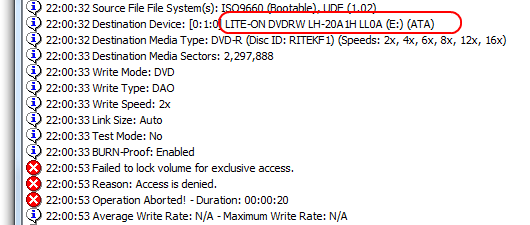
I figured that was a model and version string so I google'ed...
- The Firmware Page - A portal full of every firmware for every kind of optical drive. Man, there's a forum for everything in the world.
- CDRinfo's Firmware Page - A list of updates to drive firmware.
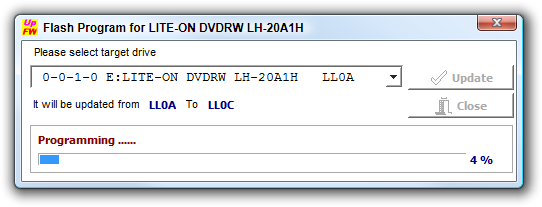
I ended up at the Lite-On Firmware Download page, got their little program. It worked on 64-bit also. It would have SUCKED if it hadn't. Flash, and I'm all set, updated to LLOC.
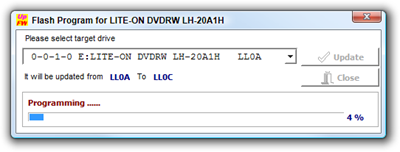
Of course, firmware wasn't my problem, although it's nice to be up to date.
If you get "Failed to lock volume for exclusive access" while burning a disk, use ProcessExplorer and go to the Find menu item and search for "CDROM" to see the processes that have it open.
About Scott
Scott Hanselman is a former professor, former Chief Architect in finance, now speaker, consultant, father, diabetic, and Microsoft employee. He is a failed stand-up comic, a cornrower, and a book author.


About Newsletter



Comments are closed.
I ended up having to boot the machine with another drive from another laptop (otherwise, the machine wouldn't recognize the drive when I plugged it in later on because it deactivated the bay during boot if no drives were found), booting into DOS with a bootable disk, plugging the dead drive in and using some scary tools to reflash the drive into a working condition.