Visual Studio.NET MSI Setup Creation: "Cannot delete folder. Folder is not empty or it might contain excluded files, which are not shown"
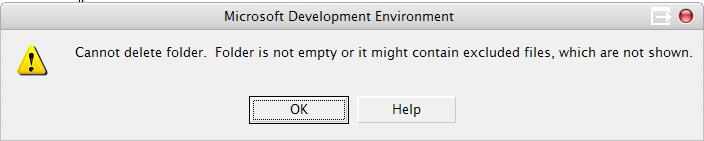
The real tragedy of this error message is that there is no way to show the excluded files. So you have to guess. In this instance, a random Thumbs.db file got into the Visual Studio Setup Solution (vdproj, and unfortunate extension that describes and unfortunate tools) and was subsequently excluded. When it came time to prune a directory of images, I was denied while deleting an IMAGES folder - with no way to figure out which file was hidden in that folder. Only a miracle and a hunch caused me to remove the stray Thumbs.db (it was certainly out of place). Then the directory was deleted without incident.
Time wasted: 13 minutes.
About Scott
Scott Hanselman is a former professor, former Chief Architect in finance, now speaker, consultant, father, diabetic, and Microsoft employee. He is a failed stand-up comic, a cornrower, and a book author.


About Newsletter



-Kevin

I spent an our at least to delete a complex dir structure from File System view. IT IS NOT POSSIBLE TO DELETE IT RECURSIVELY!!!
THEY ARE SO STUPID THAT .... ARGHHH

Comments are closed.
13 minutes is cool. i already wasted days on this one:
http://www.die.de/blog/PermaLink.aspx?guid=8c9c756a-bb42-402e-87c1-1bf485cf4537
keeps coming back; but no repro. :(
WM_MY0.02$
thomas woelfer