Loving Mush - I mean Monad
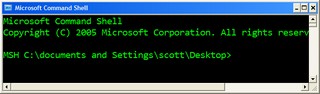 Maybe if I call the Microsoft Command Shell "mush" enough, it will catch on. MSH, or "Monad" is on my mind lately (again, after a quick and ill-timed dismissal at PDC), thanks to Keith Hill and the wealth of MSH bloggers out and content there. We did the Monad show, but this little shell is no fly-by-night. It's changing (changed?) the face of Windows Administration.
Just as the .NET Framework was "managed spackle" over the chaos that is the Win32 API, just as WinFX cleans it up even more, MSH (IMHO AFAIK if I can abuse the TLAs a bit) is a stunningly clean and well-thought out abstraction layer on top of everything. To quote Arul: "Monad is the only scripting platform that provides access to .Net, WMI, COM in a well-integrated manner."
It's a shell, in the complete sense, but it's an engine for scripting everything that is already on your system. I'll post more about cool MSH Analyzer is and how you can host Monad in your own Admin applications later.
Here's the links from this week's Hanselminutes, but I'll add more and more at my del.icio.us feed for MSH.
 Pithy and Readable? Do tell! MSH Wiki @ Channel 9 Monad Team's Technology Blog Dan Sullivan msh+SMO Sample Monad-MSH Scripts Using-Culture -Culture culture -Script {scriptblock} MSH Analyzer - it is born. Monad Scripting Center Getting MSDN help urls for .NET BCL types and Members viveksharma.com: techlog Keith Hill's Blog A guided tour of the Microsoft Command Shell by Ryan Paul Jeffrey Snover's Monad TechEd Presentation by Webcast MSHVSS Provider
Here's some "mush" examples that are fun to read and might give you a tiny taste of what you can do:
Download a feed and list the RSS Enclosures:
$url = "http://feeds.feedburner.com/ScottHanselman"
$feed = [xml](new-object System.Net.WebClient).DownloadString($url)
$feed.GetElementsByTagName("enclosure") | format-list
Find out about your system:
get-wmiobject win32_processor
Get a list of currently loaded Assemblies
[appdomain]::currentdomain.getassemblies() |ft fullname
Listing the currently open Explorer Windows
(new-object -com "Shell.Application").Windows() | select LocationName, LocationUrl
Open an IE window and navigate (smells like Watir...)
$ie = new-object -comobject Internetexplorer.application
$ie.Navigate2("http://www.microsoft.com")
$ie.visible=1
Get the latest Event Log entries:
get-eventlog Application -newest 100 | sort source
I encourage you to check it out. The learning curve is a little high, but at some point it "pops" and you're having a blast.
About Scott
Scott Hanselman is a former professor, former Chief Architect in finance, now speaker, consultant, father, diabetic, and Microsoft employee. He is a failed stand-up comic, a cornrower, and a book author.


About Newsletter

Also -- although Monad supports WMI at the moment, we do have plans to make it more discoverable.
Lee

In my hometown 'mush' is slang for a friend!
"Well mush, how's it going?"
"Not too bad mush, yourself?"
:)
Best regards,
Derek

Comments are closed.
I recently discovered the Scriptomatic 2.0 tool, which completely blew me away.
http://www.microsoft.com/downloads/details.aspx?FamilyID=09dfc342-648b-4119-b7eb-783b0f7d1178&DisplayLang=en
Suddenly the huge wealth of information available via WMI was actually accessible.
I've also been impressed with MSH, but had the same feeling of being overwhelmed. I'd love to see a new version of Scriptomatic that generates msh scripts...