ACTION:Register free for BUILD 2021 here! Why register? You don't have to, you can just visit the site and watch the stream if you like, but if you register you can ask questions LIVE and interact LIVE with the team!
Also, be sure to sign up Microsoft Build Cloud Skills Challenge! You complete modules in Microsoft Learn, learn some cool stuff AND (believe it or not) you can win a meeting with me! How weird is that? Someone thought I'd be a prize to someone. My wife is unimpressed. Regardless, you can win meetings - consultations if you're fancy - with me and other Microsoft Engineers, so sign up today!
See you soon! I miss y'all and I hope you and your families are safe and OK.
Sponsor: Extend your runway and expand your reach. Oracle for Startups delivers enterprise cloud at a startup price tag with free cloud credits to help you reel in the big fish—confidently. Learn more.
About Scott
Scott Hanselman is a former professor, former Chief Architect in finance, now speaker, consultant, father, diabetic, and Microsoft employee. He is a failed stand-up comic, a cornrower, and a book author.
However, REST Book is a Postman-like notebook that uses the Native Notebooks UI experience that's already built into Visual Studio code.
If you already love the concept of Notebooks like I do, you'll love REST Book. It's electric paper! Just like .NET Interactive or Jupyter Notebooks, it mixes Prose and Code in a very clean and very intuitive interface.
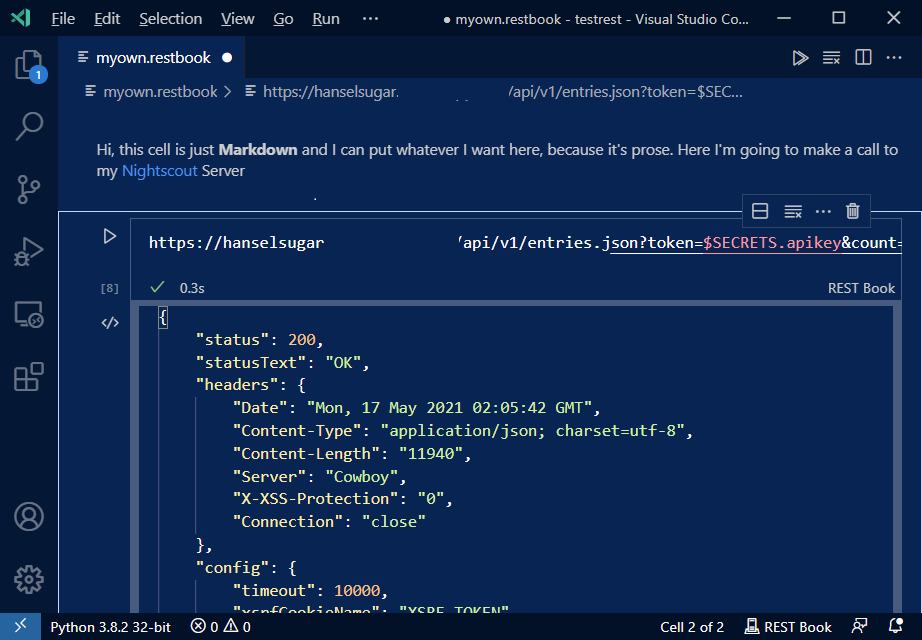
Here's me calling into my Nightscout server to see my real-time Blood Glucose:
Pretty cool. It's early days but I think Tanha already has a very interesting combination of a native Notebook experience and a Postman-like experience. Note I've also created a "SECRET" in the form of my API Key, and then I can refer to it in the GET request using $SECRETS.name.
You can also assign variables like:
let foo = GET https://hanselman.com
and then use them in subsequent cells with $.foo.headers.User-Agent, etc.
Just install the Rest Book extension in VS Code Insiders, and make a new empty text file with a .restbook extension.
You can do GET and have the URL on multiple lines if you split on a ? or &
GET https://www.google.com ?query="hanselman" &page=2 User-Agent: rest-book Content-Type: application/json
And you can POST and each new line will be a Header, until the last lines after a line separator which is the body of the call.
POST https://www.myexampleapi.com User-Agent: rest-book Content-Type: application/json
{ name: "Hello", text: "Hi friends, how are you all?" }
If you want to get involved, look at the source, file an issue or bug, or just give compliments, do it over on her repository at https://github.com/tanhakabir/rest-book Have fun!
Sponsor: The No. 1 reason developers choose Couchbase? You can use your existing SQL++ skills to easily query and access JSON. That’s more power and flexibility with less training. Learn more.
About Scott
Scott Hanselman is a former professor, former Chief Architect in finance, now speaker, consultant, father, diabetic, and Microsoft employee. He is a failed stand-up comic, a cornrower, and a book author.
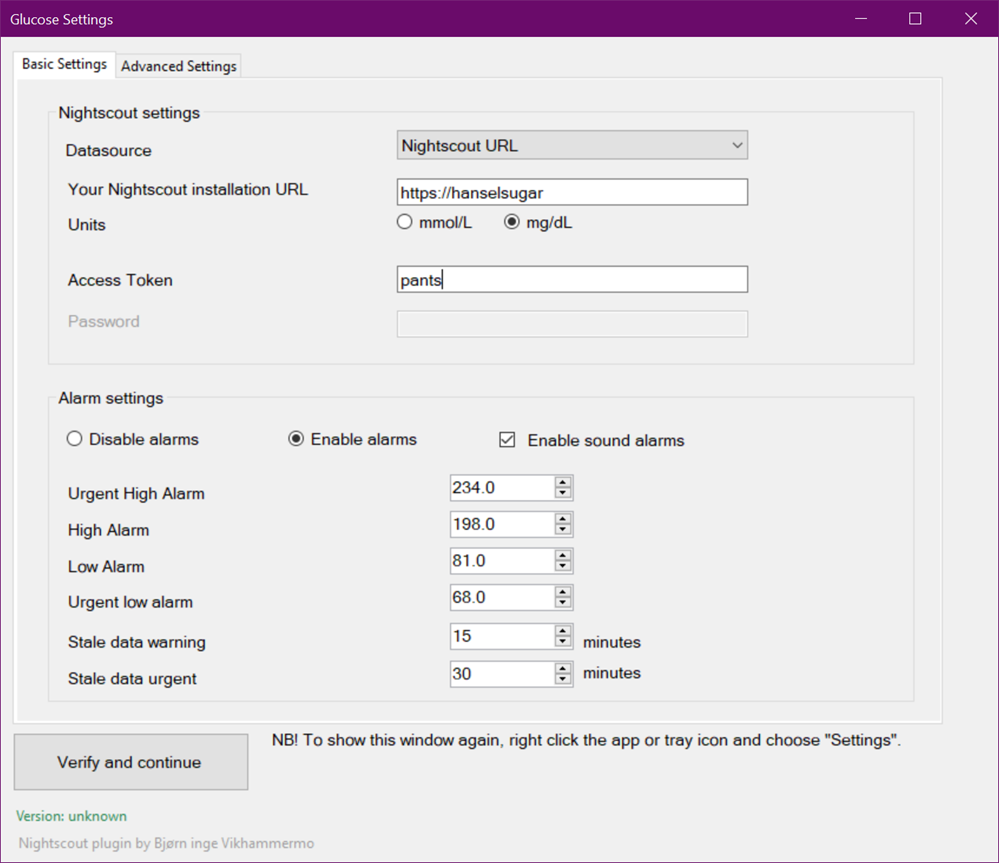
I found this 5 year old .NET application called FloatingGlucose from Bjørn that connects to a Nightscout open source diabetes server like the one I use and displays your current glucose values in a floating popup on your Windows desktop. It can also connect to the Dexcom Share servers. However, the app has an installer and requires .NET 4.6 to be installed.
How quickly - and successfully - can I convert it to a self-contained .NET 5 app? I don't know, I haven't written that part of this blog post yet. I'm still up here.
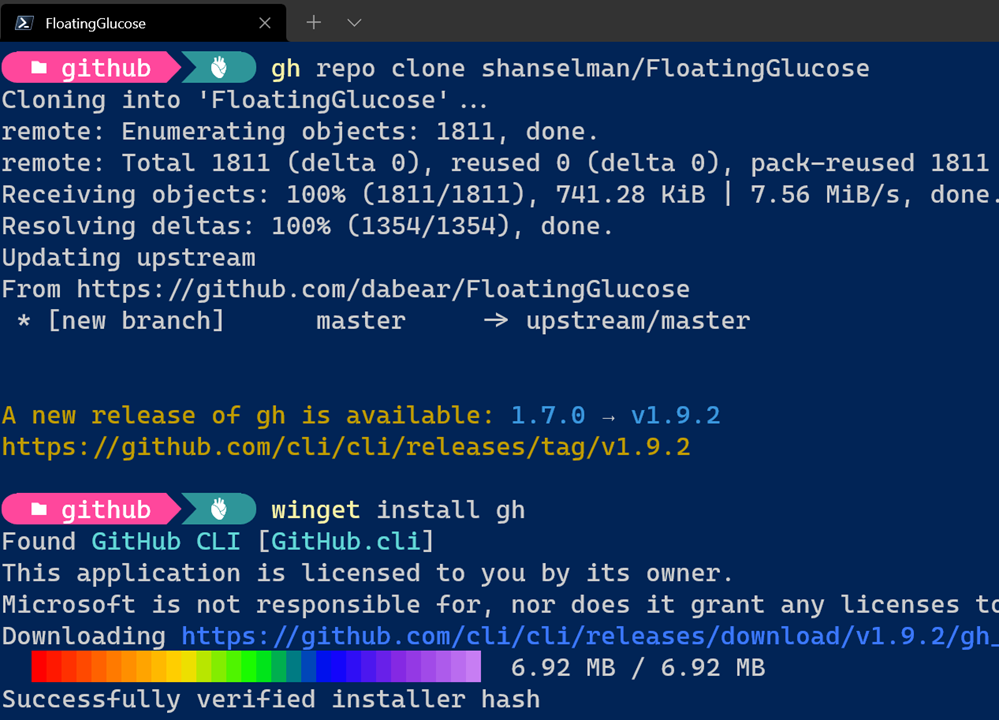
NOTE: I'm surprised I can't clone AND get submodules with the GH CLI so I guess I need to git submodule update --init --recursive after the initial use of GH.
And looks like GH is out of date so I'll 'winget install gh' to update it while I'm here.
Entrypoint: C:\github\FloatingGlucose\FloatingGlucose\FloatingGlucose.csproj Current Project: C:\github\FloatingGlucose\FloatingGlucose\FloatingGlucose.csproj
1. [Skipped] Back up project 2. [Next step] Convert project file to SDK style 3. Clean up NuGet package references 4. Update TFM 5. Update NuGet Packages 6. Add template files 7. Upgrade app config files a. Convert Application Settings b. Disable unsupported configuration sections 8. Update source code a. Apply fix for UA0012: 'UnsafeDeserialize()' does not exist 9. Move to next project
Choose a command: 1. Apply next step (Convert project file to SDK style) 2. Skip next step (Convert project file to SDK style) 3. See more step details 4. Configure logging 5. Exit > 1 [22:25:49 INF] Applying upgrade step Convert project file to SDK style [22:25:49 INF] Converting project file format with try-convert, version 0.7.222801 [22:25:52 INF] [try-convert] Conversion complete! [22:25:52 INF] Project file converted successfully! The project may require additional changes to build successfully against the new .NET target. [22:25:55 INF] Upgrade step Convert project file to SDK style applied successfully Please press enter to continue...
So I'm going step by step through the process, answering questions. OK, done. Let's see if it builds.
Looks like it doesn't. It has a custom setup PowerShell script that is trying to call InnoSetup and make an installer. Since I want to make a version that doesn't require an installer, I can remove all that from the PostBuildEvent and PreBuildEvent in the main csproj file.
Now I'm getting a number of compiler errors that aren't related to the conversion, but rather a misunderstanding about how exceptions are to be re-thrown.
When you say "throw err" you're actually losing your call stack and context.
else { //rethrow because we don't know how to handle other errors throw err; }
Instead, just:
else { //rethrow because we don't know how to handle other errors throw; }
throw to maintain the current error context. I'm just tidying up at this point.
I see a few warnings like:
C:\github\FloatingGlucose\FloatingGlucose\FormWebbrowser.cs(10,6): warning SYSLIB0003: 'PermissionSetAttribute' is obsolete: 'Code Access Security is not supported or honored by the runtime.'
and I comment them out as they are vestigial at this point.
I'm down to a final error:
Could not resolve this reference. Could not locate the assembly "System.Windows.Forms.DataVisualization".
Interesting, what's this about? Looks like not all of the Windows Forms DataVisualization project came along for .NET 5? The older code is here https://github.com/dotnet/winforms-datavisualization for .NET Core 3. The readme says "We consider the System.Windows.Forms.DataVisualization deprecated and we only provide it to ease porting to .NET Core 3"
However, Angelo Cresta has a .NET 5 version here https://github.com/AngeloCresta/winforms-datavisualization-net5 so I can try updating to his version. I'll bring it in as a Submodule and then add it as a Project Reference from the main FloatingGlucose app.
I'll also bump the JSON.NET reference from 9 to 13.0.1
NOTE: I'll also put in a dotnet_diagnostic.CA1416.severity = none in an .editorconfig to keep the compiler from warning me that this requires Windows 7 and above.
Boom, this 5 year old app is now a .NET 5 app and builds clean. SHIP IT. Well, test and run it first, eh?
Nice, a clean warning-free build AND it starts up immediately AND looks OK on my 4k monitor likely due to the work that was done to make WinForms apps scale nicely on high dpi systems.
Does it work? Darn right it does.
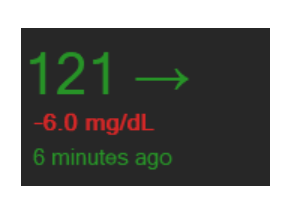
Fabulous. Now I have a little widget I can have on my screen at all times that shows my current sugars!
And finally, can I make it a single no-install EXE that doesn't even need .NET installed?
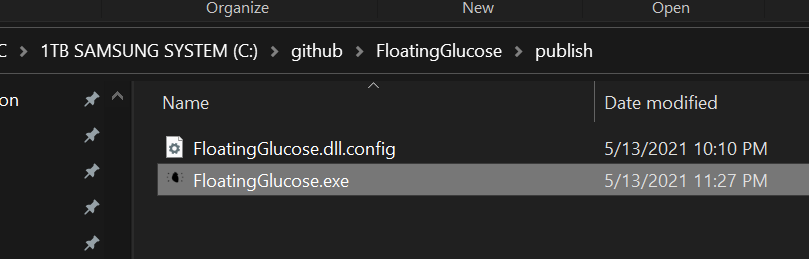
Yes, now I have a single EXE I can run of this now .NET 5 WinForms app:
Fab. That was fun. Took about 2 hours. Consider if YOU can update your "legacy" codebase to .NET 5 and reap the benefits! Here is the 'works on my machine' late night release. PR's welcome. Night!
Sponsor: The No. 1 reason developers choose Couchbase? You can use your existing SQL++ skills to easily query and access JSON. That’s more power and flexibility with less training. Learn more.
About Scott
Scott Hanselman is a former professor, former Chief Architect in finance, now speaker, consultant, father, diabetic, and Microsoft employee. He is a failed stand-up comic, a cornrower, and a book author.
I wanted to see if I could install the Community Edition of PyCharm on Ubuntu 20.04. Even though I can't use "snaps" yet on WSL (because of systemd support in progress) I can easily just get the tar file, untar it, and run it and it works.
I did a wget of the standalone, then tar xzf'ed into a folder and ran pycharm.sh and it literally just worked.
When debugging I did get an "unable to execute x86_64-linux-gnu-gcc" error but that's just because I hadn't setup build-essentials yet. Once I installed the right stuff I was all set.
I prefer to do most of my Linux dev using VSCode Remote but there's a TON of options here now that you can run Windows apps, Linux apps, or split-brain apps with half inside Linux and half in Windows. Amazing stuff!
Sponsor: Extend your runway and expand your reach. Oracle for Startups delivers enterprise cloud at a startup price tag with free cloud credits to help you reel in the big fish—confidently. Learn more!
About Scott
Scott Hanselman is a former professor, former Chief Architect in finance, now speaker, consultant, father, diabetic, and Microsoft employee. He is a failed stand-up comic, a cornrower, and a book author.
Many folks have installed X servers and X410 on their Windows 10 machines and hacked together very nice X Server set ups with WSL over the years. However, that support is now official and coming to Windows very soon. It's already in Windows 10 Insiders Dev and is in builds 21364 or higher. (Run winver to see what version of Windows you have.)
If you want to try it out, all you have to do is run "wsl --update" from and command line and you're set. If you have 21364 already but you don't have WSL installed, it's even easier to get started now. (Full details on GitHub as the whole thing is open source as well!)
wsl --install -d Ubuntu
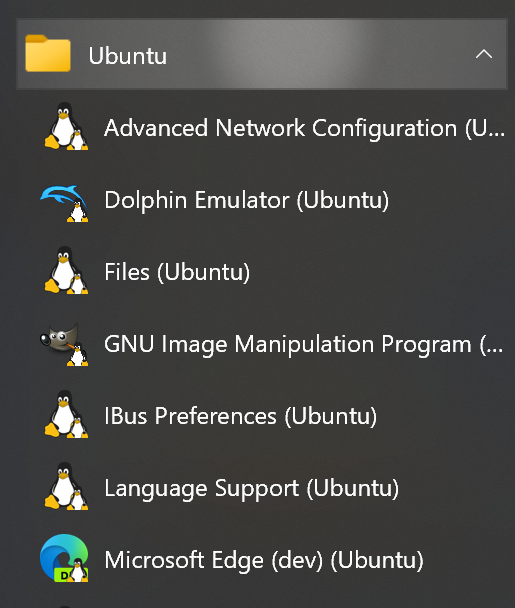
The best part of all this is that you just install Linux GUI apps in your distro with apt install like you would already, and they'll show up automatically in the Windows Start Menu!
Even better, if you have a nice GPU, you can run WSLg on a system with virtual GPU (vGPU) enabled for WSL so you can benefit from hardware accelerated OpenGL rendering. You can find preview driver supporting WSL from each of our partners below.
Here's the Dolphin Emulator running on my Surface Book 3 laptop on the NVidia vGPU at ~60 fps.
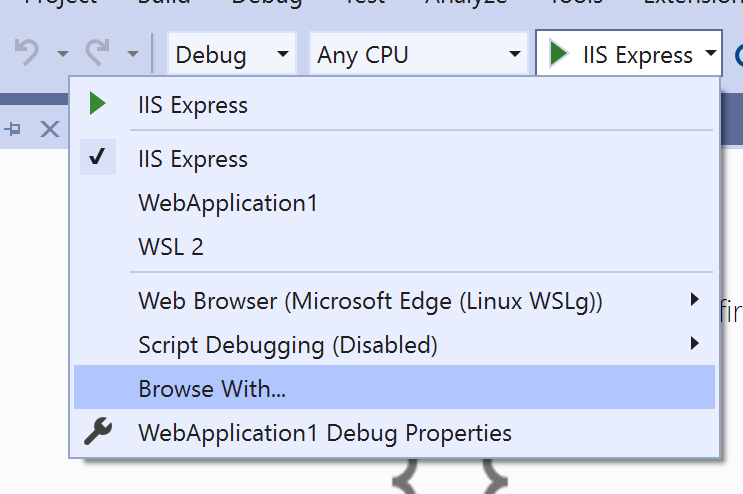
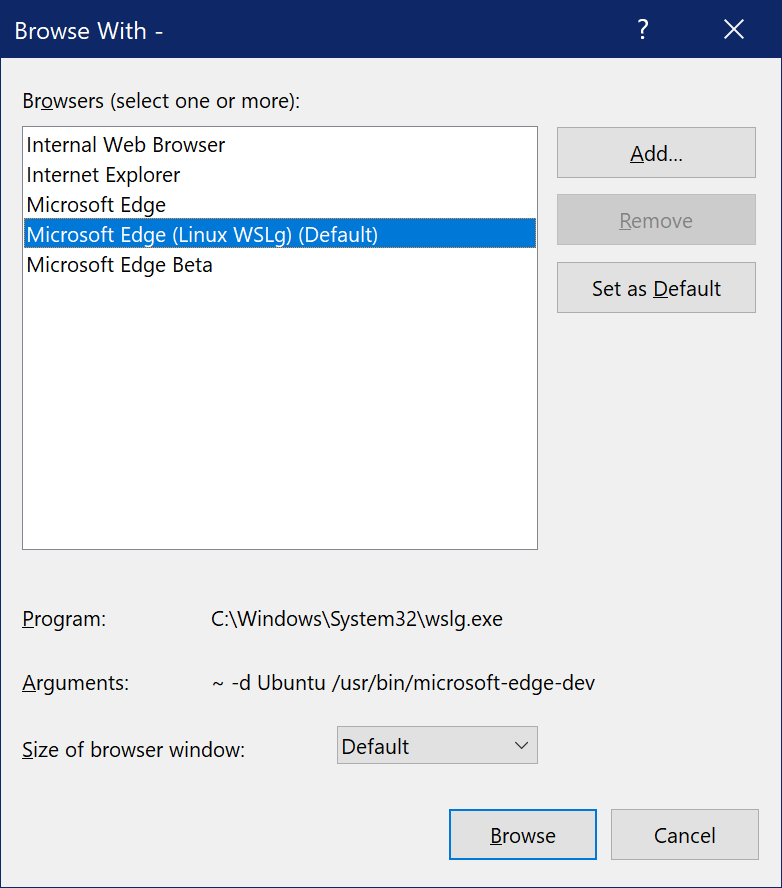
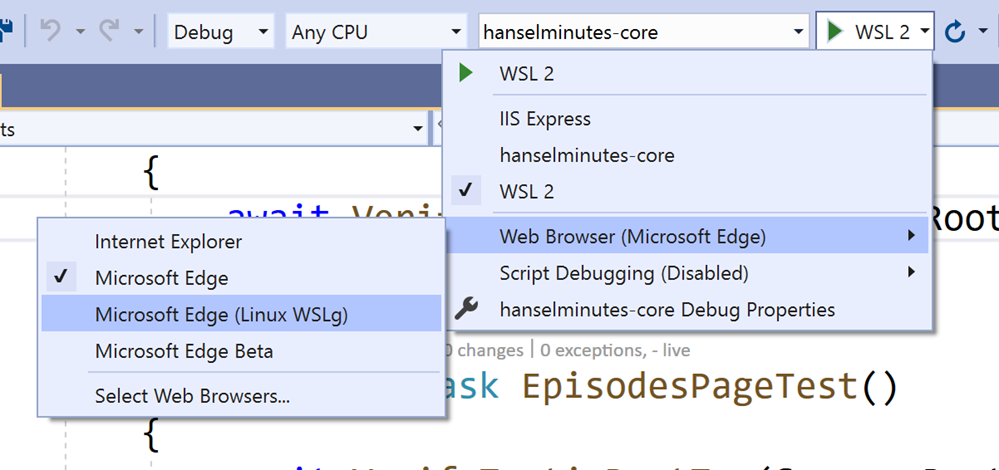
You can even run Chrome, Edge, or Teams under Linux on Windows 10 with WSLg.
This is more than just X Server support. The community is moving towards Wayland as a simpler X, but there's also Weston to consider as a great compositor to build on. Weston already had a RDP (Remote Desktop Protocol) backend and could use with with FreeRDP. But windows already has Windows Virtual Desktop that uses RDP RAIL (Remote Application Integrated Locally) as well as VAIL (Virtualized Application Integrated Locally) for optimizing transport over VM (local) boundaries vs network ones. There's an amazing blog post on WSLg Architecture here by Steve Pronovost.
All this means more than just X apps, WSLg works with OpenGL apps and works amazingly on systems with a GPU that supports WDDMv3.0. The preview drivers linked to above will eventually ship in Windows Update automatically when all this is generally available.
The Ubuntu on Windows Community Preview will only be available through this link to the Microsoft store. You will not be able to find the Community Preview just by searching in the Microsoft Store.
And finally, here's some answers to some of your "ya but you can do THIS?" questions about running Linux GUI apps on Windows 10.
Can you run The Gimp under WSLg?
Yes. Do know that things in WSLg look best under round number DPI scaling. I'm at 200 here. It'll look back at 175% or something fractional unless you explicitly turn on WESTON_RDP_DISABLE_FRACTIONAL_HI_DPI_SCALING=true in your /mnt/c/ProgramData/Microsoft/WSL/.wslgconfig. But trust me, stay with round numbers.
Can you run Wine (Wine Is Not an Emulator) to run Windows under WSLg under Linux under Windows?
Absolutely. Here I'm running Internet Explorer (after installing Gecko) under Wine under WSL in Ubuntu on Windows. Why not?
How fast is it? Here I'm running Windows 3.1 emulated within Javascript using PCJS under WSLg within Edge for Linux on Windows 10. It's very fast.
Does PulseAudio work?
Totally does. Out of the box. The genius of the architecture is that there's an already setup WSLg System Distro (this means it's more robust and you can't mess up the settings and accidentally break something) that has everything prepped and working.
Conclusion
If you don't like this or you think this is silly to you, then you likely don't have a problem that this solves for you. For me, this just makes my Windows machine an amazing Linux desktop on top of being a great Windows 10 desktop machine, without the overhead or hassle of a Linux VM. WSLg will let you run other IDEs such as gedit, JetBrains based editors, gvim, etc., to test, build, and debug your Linux applications in a high performance manner. You can also run VS Code on Windows like I do and use VS Code Remote to talk to WSL/Linux.
Sponsor: Build your apps where your customers are. Oracle for Startups delivers enterprise cloud with no lock-in so you can go after any customer — confidently. Learn more.
About Scott
Scott Hanselman is a former professor, former Chief Architect in finance, now speaker, consultant, father, diabetic, and Microsoft employee. He is a failed stand-up comic, a cornrower, and a book author.