Scott Hanselman

What is .NET? How does it work? Is it a language or a Platform?

August 13, 2020 Comment on this post [6] Posted in DotNetCore
Sponsored By

If you want to learn about .NET, I worked with my friends to make a whole series of videos at https://dot.net/videos that go into lots of details about C# the language, .NET the platform, ASP.NET the Web Platform and all the cool stuff you can make with it. There are a ton of free .NET videos and tutorials for you to explore (like 100, and they are easy, short, and binge worthy!)

But if you just have a few minutes and you're learning about .NET and just want to know WTF is .NET?!? Check out my YouTube. I'll explain the whole thing is a tight 20 min, from C# to F#, NuGet, and more. I'll show code, draw on the screen, and by the end you'll have a good sense of where .NET fits into the world versus things like Java, Node, Rust, Go, and more.

I hope you enjoy it! Please subscribe to my YouTube and explore my playlists and recent videos!


Sponsor: Have you tried developing in Rider yet? This fast and feature-rich cross-platform IDE improves your code for .NET, ASP.NET, .NET Core, Xamarin, and Unity applications on Windows, Mac, and Linux.

About Scott

Scott Hanselman is a former professor, former Chief Architect in finance, now speaker, consultant, father, diabetic, and Microsoft employee. He is a failed stand-up comic, a cornrower, and a book author.

facebook bluesky subscribe
About   Newsletter
Hosting By
Hosted on Linux using .NET in an Azure App Service

Free Books for Learning and Getting Started with Cloud-Native .NET Apps

August 12, 2020 Comment on this post [68] Posted in DotNetCore
Sponsored By

What is Docker? Can I use it with .NET?If you haven't been over to the Architecture section of the .NET site lately, I'd encourage you to go check it out. There is a TON of free learning content, books, code, and more!

Containers for Beginners

We've just put up a new Hello World tutorial for making your first microservice, and there's a video series on Docker and Containers as well. There are step-by-step instructions for installing .NET and building your first microservice using Docker. When you're done, follow how to deploy your microservice easily to Azure and Azure Kubernetes Service (AKS).

Intermediate - Cloud-native microservices

If you have about an hour, you can try out this new Learn Module for free - Create and deploy a cloud-native ASP.NET Core microservice. you can do it ALL in the browser with no software installation!

Imagine you're a software developer for an online retailer named eShopOnContainers. The retailer uses a cloud-native, microservices-based architecture developed using .NET Core for its online storefront. A new project is underway to add support for accepting coupon codes at checkout. Your assignment on the project is to finish writing a containerized ASP.NET Core web API to manage coupon codes—a web API that will be referred to as the coupon service.

This module explores completing the coupon service, adding it to the existing solution, and deploying it to the multi-container Kubernetes cluster.

Learning objectives

  • Examine existing ASP.NET Core microservices running in Azure Kubernetes Service (AKS).
  • Implement a new ASP.NET Core microservice and containerize it.
  • Publish the Docker image to Azure Container Registry (ACR).
  • Deploy the Docker container to the existing AKS cluster.

Free Books

Everyone loves free books. There are a number of free Cloud-Native Free Resources to download.

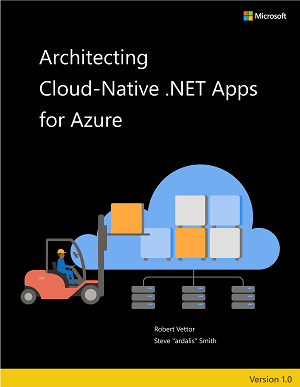
Cloud-native e-book - Formats: PDF | Online

 cloud-native-azure

This free e-book defines cloud native, introduces a sample app built using cloud-native principles, and covers topics common to most cloud-native applications. The audience for this guide is developers, development leads, and architects who are interested in learning how to build applications designed for the cloud. A secondary audience is technical decision-makers who plan to choose whether to build their applications using a cloud-native approach.

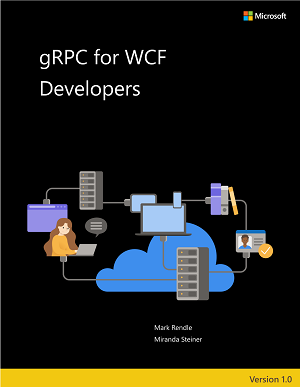
gRPC for WCF Developers e-Book - Formats: PDF | Online

 grpc-for-wcf-devs

This free e-book explains gRPC, relating each concept to the equivalent features of WCF, and offers guidance for migrating an existing WCF app to gRPC. This guide was written for developers working in .NET Framework or .NET Core who have previously used WCF, and who are seeking to migrate their applications to a modern RPC environment for .NET Core 3.0 and later versions. More generally, if you are upgrading, or considering upgrading, to .NET Core 3.0, and you want to use the built-in gRPC tools, this guide is also useful.

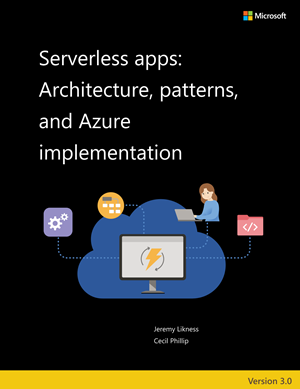
Serverless apps e-book - Formats: PDF | Online

 serverless-apps-cover-v3

Updated to Azure Functions 3.0! This guide focuses on cloud native development of applications that use serverless. The book highlights the benefits and exposes the potential drawbacks of developing serverless apps and provides a survey of serverless architectures. This guide was written for developers and solution architects who want to build enterprise applications with .NET that may use serverless components either on premises or in the cloud. It's useful to developers, architects, and technical decision makers interested in:

  • Understanding the pros and cons of serverless development
  • Learning how to approach serverless architecture
  • Example implementations of serverless apps

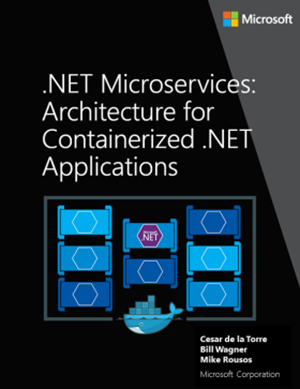
.NET Microservices e-book - Formats: PDF | Online

 cover-small

Updated to .NET Core 3.1! This guide is an introduction to developing microservices-based applications and managing them using containers. It discusses architectural design and implementation approaches using .NET Core and Docker containers.

We wrote this guide for developers and solution architects who are new to Docker-based application development and to microservices-based architecture. This guide is for you if you want to learn how to architect, design, and implement proof-of-concept applications with Microsoft development technologies (with special focus on .NET Core) and with Docker containers.

You will also find this guide useful if you are a technical decision maker, such as an enterprise architect, who wants an architecture and technology overview before you decide on what approach to select for new and modern distributed applications.

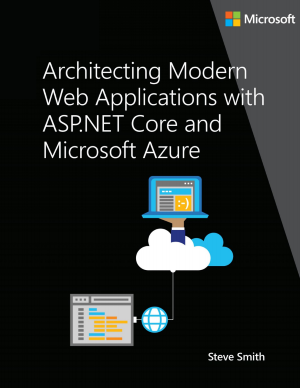
ASP.NET Core e-book - Formats: PDF | Online

aspnet

Updated to .NET Core 3.1! This guide provides end-to-end guidance on building web applications using ASP.NET Core and Azure.

The audience for this guide is developers, development leads, and architects who are interested in building modern web applications using Microsoft technologies and services in the cloud.

A secondary audience is technical decision makers who are already familiar ASP.NET or Azure and are looking for information on whether it makes sense to upgrade to ASP.NET Core for new or existing projects.

We have even more free Books and Guides coming , I'll share them very soon! Check out https://dotnet.microsoft.com/learn/dotnet/architecture-guides for more.


Sponsor: Have you tried developing in Rider yet? This fast and feature-rich cross-platform IDE improves your code for .NET, ASP.NET, .NET Core, Xamarin, and Unity applications on Windows, Mac, and Linux.

About Scott

Scott Hanselman is a former professor, former Chief Architect in finance, now speaker, consultant, father, diabetic, and Microsoft employee. He is a failed stand-up comic, a cornrower, and a book author.

facebook bluesky subscribe
About   Newsletter
Hosting By
Hosted on Linux using .NET in an Azure App Service

Reviewing the Elecrow CrowPi2 Raspberry Pi Laptop and STEM Education Platform

August 06, 2020 Comment on this post [4] Posted in Hardware
Sponsored By

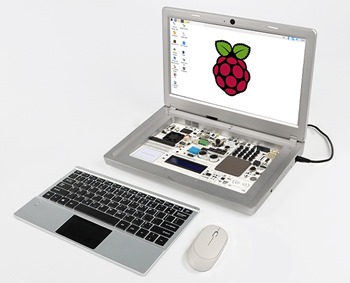
11540c45729eb73fd9676faf6b05914c_originalI love the Raspberry Pi and I am a fan of the CrowPi from Elecrow. I have two of their first CrowPi device and I use them in demonstrations and talks all the time, especially when talking to students.

They have a Kickstarter ending this week for the new CrowPi2. It's an update of the original CrowPi which was basically a Raspberry Pi in a tiny suitcase...instead the CrowPi2 looks like a laptop! The magical part is that the full exploration and sensor board is hidden underneath a wireless keyboard with trackpad, held on with magnets!

The CrowPi folks sent me an early CrowPi2 because I was a vocal supporter of the previous version, so I did a LIVE video unboxing on twitter as well as a follow up software video on the CrowPi2. I am not being paid for this review and I always am honest with y'all about the stuff I like. I plan on buying a few for my kids' public school science class.

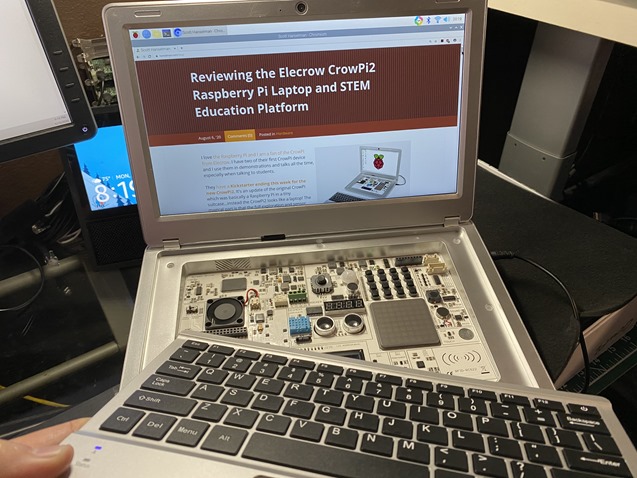
This blog post in Chromium on a Raspberry Pi CrowPi2

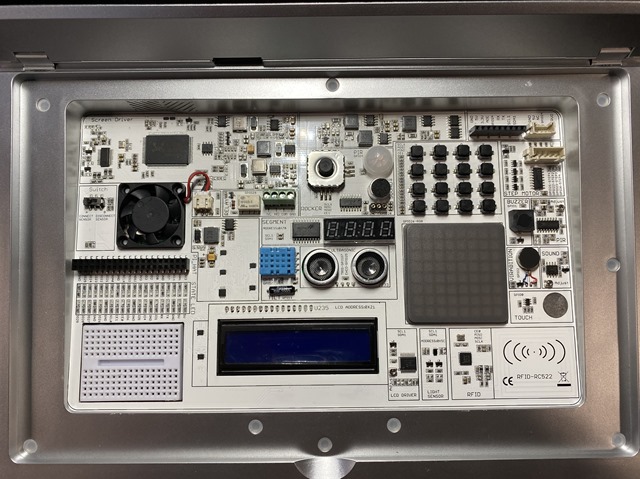
It's more than "just a laptop shaped case" for the Raspberry Pi, the CrowPi2 has an integrated 1080p screen, 22 onboard sensors (that can be connected and disconnected with a switch), a microphone and 2MP webcam, speaker, as well as support for both 5v battery and 12v external power.

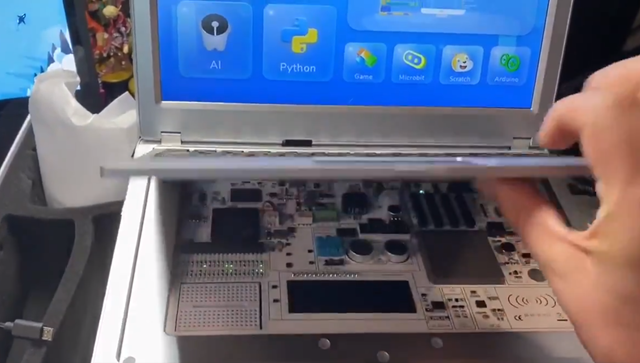
The keyboard is also quiet clever and very thin. It's held on with magnets and is charged with any micro-USB connector. Hidden underneath is an upgrade of the original CrowPi sensor board!

Sensors hidden under the keyboard

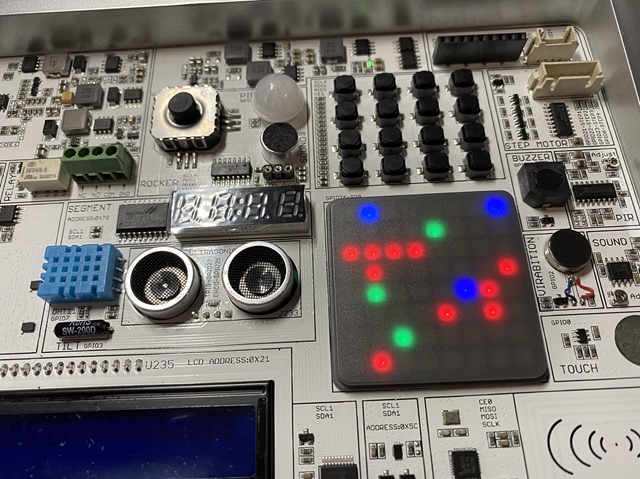
Here's a close up of the sensor board:

20+ Sensors on the CrowPi2

The part I was the most surprised with was that there's 20+ projects already setup out of the box. I usually get a device like this and maybe there's some sample code on the desktop that you can run with Python. The CrowPi2 is more polished in that it has a whole front-end introductory UI that lets you run the samples right away - and they are cool samples! I show a few of the LIVE samples in my Video on Twitter.

The plastic in the early version I got is a little soft, and I might have preferred it in black versus silver, but it's light and drops in a backpack easily. It's somewhat thick (remember this is a Raspberry PI, not an iPad or a millimeter thin laptop) so to be conscious if you think you're getting an Ultrabook. This is a Raspberry Pi-based laptop and learning platform. Would be a great starter for any kid as the Pi4 is pretty legit and it'll even run Chromium!

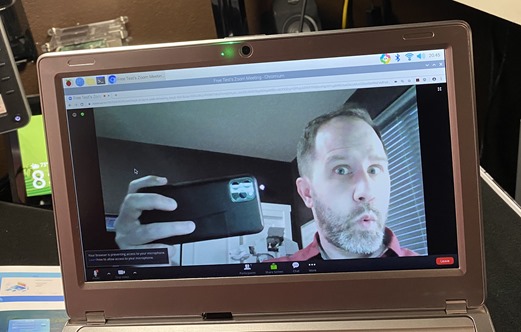
NOTE: I did try to join a Zoom web-based meeting over Chromium and while the speaker and mic were detected, I wasn't able to get Chromium to see the webcam. I'll report back on this as clearly all the parts are there to allow this little laptop to join at least a web Zoom meeting! That would be even cooler.

UPDATE! I was able to enter a web-based Zoom meeting! There's a little USB cable underneath that snakes out then in again to allow access to the webcam. Very clever! I don't think this is a reliable option for Zoom meetings, but I can confirm that the webcam works!

IMG_5022

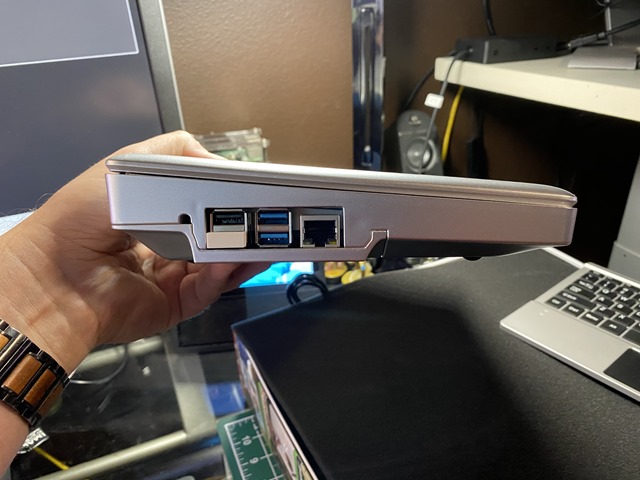
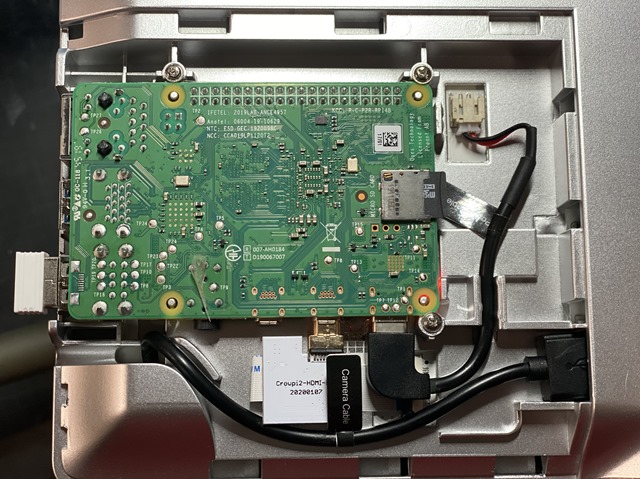
Here's a side view of the CrowPi2, as well as how the Raspberry Pi mounts inside.

CrowPi2 from the Side

Raspberry Pi mounted inside

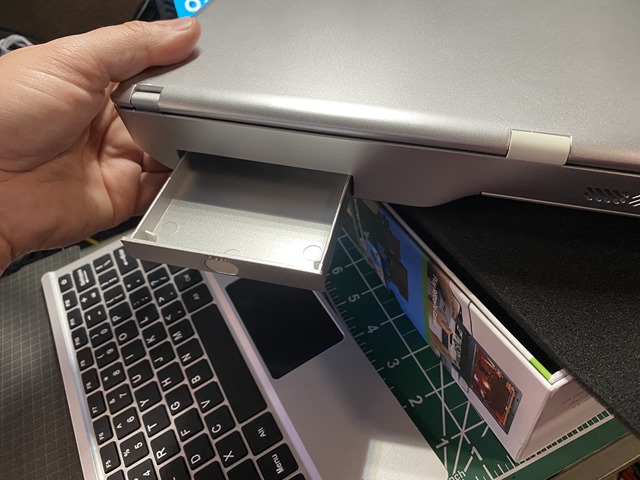
There is even a cool little retractable tray in the back of the CrowPi2 that you can use for a battery (with a micro-USB cable you can run the entire device) or for holding wires, LEDs, and resisters for projects.

Cool tray in the back of the CrowPi2

The real magic is the sample projects - they are quite cool. They've added AI and Machine Learning lessons with Thonny PI, loaded MineCraft Pi. There are games, sensor tests, and they basically exercise the whole main sensor board with Python.

NOTE: I've also installed .NET Core on Raspberry Pi and it works great since it's an ARM Machine. You can even run Docker!

The basic kit is very reasonably priced compared to the much more barebones kits you see on Amazon. While I wouldn't call it a "premium" kit due to the plastic case, it's definitely the best Raspberry Pi kit I've ever used.

Playing Games on the CrowPi

You can go support the new CrowPi2 over on their KickStarter ending this week, it's pretty darn cool.


Sponsor: Bug in prod? Get to the bottom of it, fast, with live production log search in Seq 2020.1.

About Scott

Scott Hanselman is a former professor, former Chief Architect in finance, now speaker, consultant, father, diabetic, and Microsoft employee. He is a failed stand-up comic, a cornrower, and a book author.

facebook bluesky subscribe
About   Newsletter
Hosting By
Hosted on Linux using .NET in an Azure App Service

THE EASY WAY how to SSH into Bash and WSL2 on Windows 10 from an external machine

August 04, 2020 Comment on this post [12] Posted in Linux | Open Source | Win10
Sponsored By

Some folks always trying to ice skate up hillThis is an interesting blog post on How to SSH into WSL2 on Windows 10 from an external machine. Read it. Know how it works. Learn it. AND DO NOT DO IT BECAUSE IT'S TOO COMPLEX.

DO NOT DO THIS. It's fine. It works. But it's baroque. You're forwarding ports into a little VM'ed local subnet, you're dealing with WSL2 IP addresses changing, you'll have to keep your VM running, and you're generally trying to ice skate up hill.

Here's the thing. In that post - which you should not do - you're turning off the Windows Firewall for your port, forwarding to an internal subnet, and then letting WSL take over.

BUT! Windows 10 already knows how to accept SSH connections. In fact, it's shipped OpenSSH as a "Feature on Demand" for years. The issue is that you (Mac and Linux switchers) don't like the default shell - PowerShell.

So why not change the default Windows shell for SSH to WSL2's Bash?

Boom. Now you have no port forwarding, firewalls are only opening for one process, and your WSL2 instance starts up on entry. Literally the best of all worlds.

How do you set up SSH'ing into WSL2 on your Windows 10 machine

First, open an admin PowerShell prompt (Start menu, type PowerShell, hold ctrl+shift, and hit enter) type this:

> Get-WindowsCapability -Online | ? Name -like 'OpenSSH*'

Name : OpenSSH.Client~~~~0.0.1.0
State : Installed

Name : OpenSSH.Server~~~~0.0.1.0
State : NotPresent

See how I have the Client and not the OpenSSH Server? Add it:

Add-WindowsCapability -Online -Name OpenSSH.Server~~~~0.0.1.0

Now either start the SSHD service, or set it to start automatically:

Start-Service sshd
Get-Service sshd

or automatic:

Set-Service -Name sshd -StartupType 'Automatic'

Configuring the Default Shell for OpenSSH in Windows 10

On my server (the Windows machine I'm SSHing into) I will set a registry key to set the default shell. In this case, I'll use open source cross platform PowerShell Core. You can use whatever makes you happy and WSL2's bash makes me happy.

New-ItemProperty -Path "HKLM:\SOFTWARE\OpenSSH" -Name DefaultShell -Value "C:\WINDOWS\System32\bash.exe" -PropertyType String -Force

Note that bash.exe in this context starts up "wsl -d YOURDEFAULTDISTRO" so you'll want to know what your Default is, and if you don't like it, change it with wsl --set-default DISTRO.

HEADS UP: You need the FULL AND CORRECT PATH in that command above. It works for any shell. Since I'm using bash.exe, I get WSL2 starting up for free but SSH with this solution is using Windows's SSH keys and Windows auth. Note that when you're entering your password for authentication!

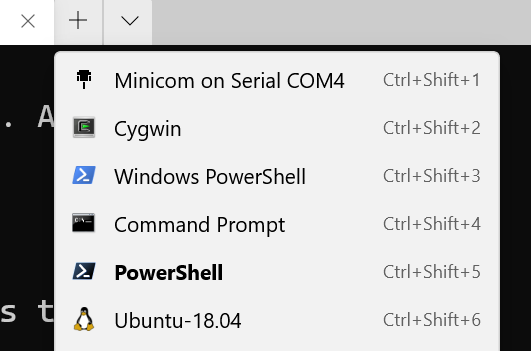
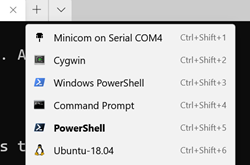
Even better if I wanted to add a menu item (profile) to one local Windows Terminal with an entry to ssh into my WSL on my remote Windows Machine that would automatically log me into it from elsewhere using public keys, I could do that also!

To conclude and sum up:

  • This blog post - the one you are reading uses Windows' OpenSSH and authenticates with Windows and then runs WSL2. WSL2 starts up, uses bash, and Windows handles the TCP traffic.
  • This other blog post - over here - has Windows only forwarding ports, and uses WSL2's Linux OpenSSH and authenticates against Linux. Windows is only involved peripherally. The WSL2 IP address changes on reboot and you'll need to maintain your portproxy rules and firewall rules with the script listened at the end of that post.

Understand what you want and use the right one for you.

Enjoy!


Sponsor: Bug in prod? Get to the bottom of it, fast, with live production log search in Seq 2020.1.

About Scott

Scott Hanselman is a former professor, former Chief Architect in finance, now speaker, consultant, father, diabetic, and Microsoft employee. He is a failed stand-up comic, a cornrower, and a book author.

facebook bluesky subscribe
About   Newsletter
Hosting By
Hosted on Linux using .NET in an Azure App Service

How to SSH into WSL2 on Windows 10 from an external machine

July 30, 2020 Comment on this post [208] Posted in Linux | Win10
Sponsored By

LinuxCool blog post eh? Good title, right?

DO NOT DO THE INSTRUCTIONS IN THIS POST

until you have read the FOLLOW UP THE EASY WAY how to SSH into Bash and WSL2 on Windows 10 from an external machine and made the right decision for YOU!

OpenSSH has shipped in Windows for 5 years now, so that's cool. You can do lots of things!

But often folks want to SSH not into their Windows 10 machine, but rather, into WSL2 running within/behind their Windows 10 machine. While WSL2 can forward ports from the inside out (for example, localhost:8000 within a WSL2 instance being made available from the local Windows 10 machine) if you want to build a path to a WSL2 port from completely outside a machine, you'll need to be a lot more explicit.

Install OpenSSH-Server in WSL

First, install OpenSSH server inside your Linux Distro:

scott@IRONHEART:~$ sudo apt install openssh-server
[sudo] password for scott:
Reading package lists... Done
Building dependency tree
Reading state information... Done
openssh-server is already the newest version (1:7.6p1-4ubuntu0.3).
0 upgraded, 0 newly installed, 0 to remove and 0 not upgraded.

Decide on your SSH port number

Next, in WSL2, edit /etc/ssh/sshd_config and uncomment out the Port line.

I edited it with sudo nano /etc/ssh/sshd_config, no shame!

SSH is usually 22, but I like to use something like 2222 so it's less obvious but still easy to remember AND is different from your Window's machine's 22. Note that I told it to listen on 0.0.0.0, so, any adapter. You can also set PasswordAuthentication to "no" if you want to use SSH keys rather than passwords for authentication. Set it to "yes" if you know what you're doing and don't know how to use ssh keys.

/etc/ssh/sshd_config

...STUFF ABOVE THIS...
Port 2222
#AddressFamily any
ListenAddress 0.0.0.0
#ListenAddress ::

...STUFF BELOW THIS...

From within WSL2 get your IP address using "ifconfig." Mine is 172.23.129.80, yours will likely be 172.SOMETHINGELSE and it will change when WSL2 starts up cold.

You may want to ensure it's running, considering WSL2 has no systemd.

service ssh start

Forward Ports into WSL2

Now, from an Administrator Windows prompt - that can be cmd.exe or powershell.exe, it doesn't matter, use the net shell "netsh" to add a portproxy rule. Again, change connectaddress to YOUR WSL2 ipaddress, which is an internal address to your machine.

netsh interface portproxy add v4tov4 listenaddress=0.0.0.0 listenport=2222 connectaddress=172.23.129.80 connectport=2222

Open the Firewall

Next, from the same Administrator Windows prompt, open an incoming Firewall Port. You can do it from the Advanced Firewall Settings, but even easier you can use netsh again!

netsh advfirewall firewall add rule name=”Open Port 2222 for WSL2” dir=in action=allow protocol=TCP localport=2222

You can list all your portproxy rules like this if you're concerned:

netsh interface portproxy show v4tov4

You can remove them all if you want with

netsh int portproxy reset all

A scripted solution?

GitHub user and community member Daehahn is working on a PowerShell Script to automate this process. The comment thread starts here and the gist for the PowerShell script for wsl2-network.ps1 is here. It resets firewall and portproxies, finds your default distro's new IP, and sets you up again. Save this .ps1 somewhere, read it, and run "unblock-file wsl2-network.ps1" on it so you can set up your system quickly for Shushing into your WSL2 instance!

Note the $Ports variable that likely opens up more than you want or need, remembering that WSL and VS Code will automatically forward ports to localhost when needed for development.

Hope this helps! It would be nice if WSL2 didn't change it's internal IP address every time it starts up so that this could be made even easier and more automated.

To conclude and sum up:

  • This blog post - the one you are reading now, has Windows only forwarding ports, and uses WSL2's Linux OpenSSH and authenticates against Linux. Windows is only involved peripherally. The WSL2 IP address changes on reboot and you'll need to maintain your portproxy rules and firewall rules with the script listened at the end of that post.
  • This other blog post - over here - uses Windows' OpenSSH and authenticates with Windows and then runs WSL2. WSL2 starts up, uses bash, and Windows handles the TCP traffic.

Understand what you want and use the right one for you.

Other cool links:

Hope this helps! Also, please do subscribe to my YouTube channel!


Sponsor: Never miss a bug — send alerts to Slack or email, and find problems before your customers do, using Seq 2020.1.

About Scott

Scott Hanselman is a former professor, former Chief Architect in finance, now speaker, consultant, father, diabetic, and Microsoft employee. He is a failed stand-up comic, a cornrower, and a book author.

facebook bluesky subscribe
About   Newsletter
Hosting By
Hosted on Linux using .NET in an Azure App Service

Disclaimer: The opinions expressed herein are my own personal opinions and do not represent my employer's view in any way.