 What are the skills that a Programmer needs? Internal to Microsoft there's a old meme about the three types of programmers. There's Elvis, Einstein and Mort.
Einstein is like employee #3 at your company, very smart, possibly socially a little off, he knows the owner of the company personally and probably wrote the original program you sell. Elvis is a late-hire, he wants to rewrite the whole thing in WPF/E and speaks a lot at user groups. Mort is the rest of us.
These are simplistic labels, and oft-overused; I'm as guilty as anyone in using these too often. But, hey, labels are fun and (when used for good) help us understand the ecosystem.
Here's some other more useful stereotypes labels...
Copy/Paste Guy
One resume we received said "I'm the best at my company at copy/paste...I can copy/paste code better than anyone." This guy can't code at all. Doesn't understand computers, programming, literally has trouble finding the door to the building in the morning. But, he can Copy/Paste like a ninja.
Google Gal
"I don't know how to do it, but I know that someone has already done it. Solving this problem means finding someone else's solution." It'll take an hour either way. An hour of doing it, or an hour of searching. This person will always choose searching over doing. Sometimes the search will go on for days, trying different keyboards, perhaps building incredibly complex queries "IUnknown AND Cheese BUT NOT Gouda" in order to give Google more insight into what the problem might be.
MSDN Trivia Person
I can't remember what my wife and I had for dinner last night, but I can remember the internals in System.Web.UI.WebControls.ObscureNamespace. This programmer has no concept of the larger picture, the ultimate goal, but they know that the class you're using is marked obsolete in early betas of the next version and you had better stop using it or else! They also tend to know more than IMDB about movies.
Visio Boss
This boss "used to be a programmer" and "played some with .NET" when it first came out "and didn't see anything revolutionary" during the first five minutes and hasn't given it much thought since. They tend to spend time in Visio, almost to the point that they are frustrated you're not compiling directly from their "Visio Source." They also get +2 Charisma against DBAs if they have an English Accent.
Super-Excited Dude
It's new and we need to be doing it. Sure, it's a pre-alpha personal not-for-external use build from his friend in Microsoft QA but seriously, have you seen it? We need to get on board with this before it's too late. To start, we need to send me up to Microsoft for a short 5 week Skull & Bones Meeting Software Design Review where they will teach me how to control my powers without creating a singularity and destroying all mankind with my new-found LINQy goodness. Then it's all going to rock. Seriously. I'm super-excited about the future.
Tall but Ultimately Disinterested Programmer
You can't teach height. This guy (or gal) is so freaking naturally talented it's obscene. You hate him for his skills and love him for his skills. He not only codes well, but also documents well, types fast. Dogs trust him, women want him and men want to be him. He was meant to program. However, he prefers rock climbing/motorcycle riding/some dangerous non-computer-related-hobby so-very-much-more than programming. Hey, it's 5:01PM, can I punch out? A bunch of us are doing sky diving. You wanna come along when you're done with your Halo Deathmatch? So sad. If only he used his powers for good.
Flaming Potato Guy
Hey now, that's not my fault. That wasn't in the spec. Where is the spec? See, there's no spec, how can I possibly be blamed? Talk to QA, they're insane. Truly. Listen, it compiled. It totally worked yesterday, something much be wrong with the Build Server. Freaking .NET, it sucks. Come on, this is clearly a Windows Bug, I mean OpenFile() has never worked correctly, ask anyone.
Ajax Ajax Ajax
So how does Ajax come into the picture in this solution? Ok, and this is where we add Ajax, right? And the request for JSON happens here? Now, is this Dojo or JQuery? You know that God prefers JavaScript, did you know? DHTML is better because it's like HTML, but with a "D" at the front. So, it's more Dynamic.
Used to Do HTML
This programmer parlayed a career typing <table><tr><td> into one typing if(true){}else{} and wonders why that line never runs. A job doing FrontPage turned into one doing Visual Interdev turned into one doing Visual Studio turned into one as Lead Programmer on Super Complex Project v3.
The Premature Optimizer
Never use String.IsNullOrEmpty! Didn't you know that there's a huge bug in the Framework that makes that function kill kittens if you call it on a multi-proc system with more than 4.5 gigs of RAM? Plus, it adds five microseconds of overhead as it accesses eax twice necessitating 4 extra clock cycles. Measure it? Should I have to, it's SO obvious that's inefficient!
Coasting on Charm Coder
It's unclear when this programmer last checked something in, but he or she is so darned clever, so persuasive, so innovative in their designs, does it really matter? They put together amazing PowerPoints, give compelling talks, use just the right sprinkling of buzzwords like "architectural cohesion" and "cyclomatic complexity" that you can't look away.
O(n) "Order n" Architect
Has a chart for everything. "Where's the whiteboard, let me explain..." No matter what YOU do, it won't work, and here's the computer science principle that explains exactly why. No, no, you won't possibly understand it, but trust me, it's true. You see, that's an order-n algorithm and you want to be order-log-n. You see? Here, let me illustrate by writing a perfect QuickSort in F# from memory...
Mr. Dr. Programmer or Ivy League Dude
"I didn't spend six years going to evil doctor school to be called mister." This gentleman or lady went to a school so exclusive that you may not have even heard of it. You've been published on MSDN? They've been published in Science magazine. You went to community college? Bill Gates was their roommate. You filed a patent? Say, you know angle-brackets? This guy invented them.
The Open "Sourcerer"
If it costs, it's crap. Free love, free software, no patents, no intellectual property, no big business. Just Solar Panels, Biodiesel and Open Source Software. Works in Windows, codes in .NET, but hates himself for it. Likes to recompile the Linux Kernel during lunch just to prove he still can. Wants to know when the last time you submitted a patch to a public project. Has a man-crush on Miguel from Mono.
The Blogger
Dude! Let me blog that. Can I? I'll totally give you credit. Can you send me the code? Where do you blog? You don't have a blog? Er...OK, how can you possibly code then? I mean, join the conversation, man. Step up, seriously. You've got no juice. I googled for you and found nothing. That's going to make it hard for you to be a good developer. Listen, I'll make you a blog, stop by anytime. You watch, everything will be better once you blog. Coding? Really, who has time, I've got a dozen subscribers that are counting on me.
Who are you? I'm afraid I am probably all of these, except Dr. Programmer and Tall Guy.
Hosting By

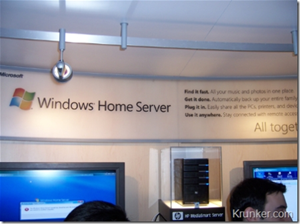 My seventy-first podcast is up. I've talked about Windows Home Server on my blog before and even said once that I was more excited about WHS than Vista. I've personally been running it for about 6 months now at home and I love it. In this episode I sit down with Charlie Kindel, the Product Unit Manager (PUM), behind the Windows Home Server team. This guy has worked for Microsoft for 17 years, so he knows his stuff. He helped design and ship COM/DCOM. Oy. Get some old hardware together and go get Windows Home Server RC1. Also check out the Home Server SDK as there's a USD$50,000 Developer Contest for the Best Home Server Add-Ins.


 Check out their UI Suite of controls for ASP.NET. It's very hardcore stuff. One of the things I appreciate about Telerik is their commitment to completeness. For example, they have a page about their Right-to-Left support while some vendors have zero support, or don't bother testing. They also are committed to XHTML compliance and publish their roadmap. It's nice when your controls vendor is very transparent.


 Madness I say.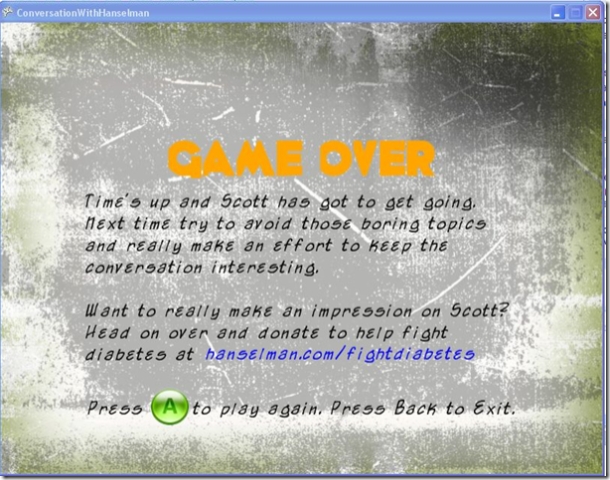

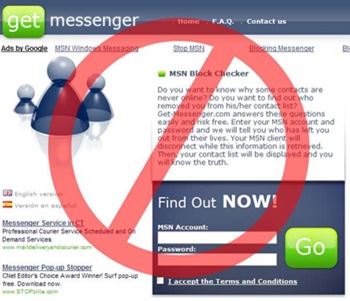 Wow. I just got nailed. A trusted friend sent me a standard "check this out" instant message on MSN saying I should take a look at a site called http://www.newmsnlive.info also known as http://www.msnforyou.info and http://www.get-messenger.com.