Scott Hanselman

Alternative Power - Kensington 120W Notebook Power Adapter
March 26, 2006 Comment on this post [3] Posted in Reviews | Gaming
Sponsored By

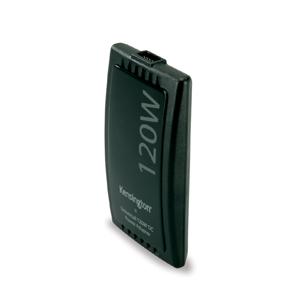
5555130_640I just picked up a Kensington 120W Notebook Power Adapter for work. When I go on a trip I have my IBM T42, my PSP, my iPod and my Blackberry. Sometimes I also have my Toshiba M205 Tablet PC.

The power situation was getting out of control, and my boss Chris mentioned that he was loving his Kensington. I said I was considering an iGo as that was the adapter that first came to mind when considering a 3rd party power solution. He showed me that the Kensington was considerably thinner and cheaper.

Right now there is a $25 rebate if you get the adapter and the Dual Charging Cable. I may pick up two more Dual Charging Cables to charge every device at once from a single outlet as well as this wind up cable and travel plug adapter for foreign plugs.

The Kensington 120W comes with a car adapter, airplane adapter and includes an iPod tip and tips for any laptop. I ordered a PSP tip and Blackberry tip as well.

I'm using it right now, and I'm very happy with the extra room in my bag from throwing all my other power adapters into the junk drawer in the kitchen.

Now playing: OXM Magazine - Episode 4: Official Xbox Magazine Video Podcast

About Scott

Scott Hanselman is a former professor, former Chief Architect in finance, now speaker, consultant, father, diabetic, and Microsoft employee. He is a failed stand-up comic, a cornrower, and a book author.

facebook bluesky subscribe
About   Newsletter
Hosting By
Hosted on Linux using .NET in an Azure App Service

DasKeyboard

March 26, 2006 Comment on this post [6] Posted in Reviews
Sponsored By

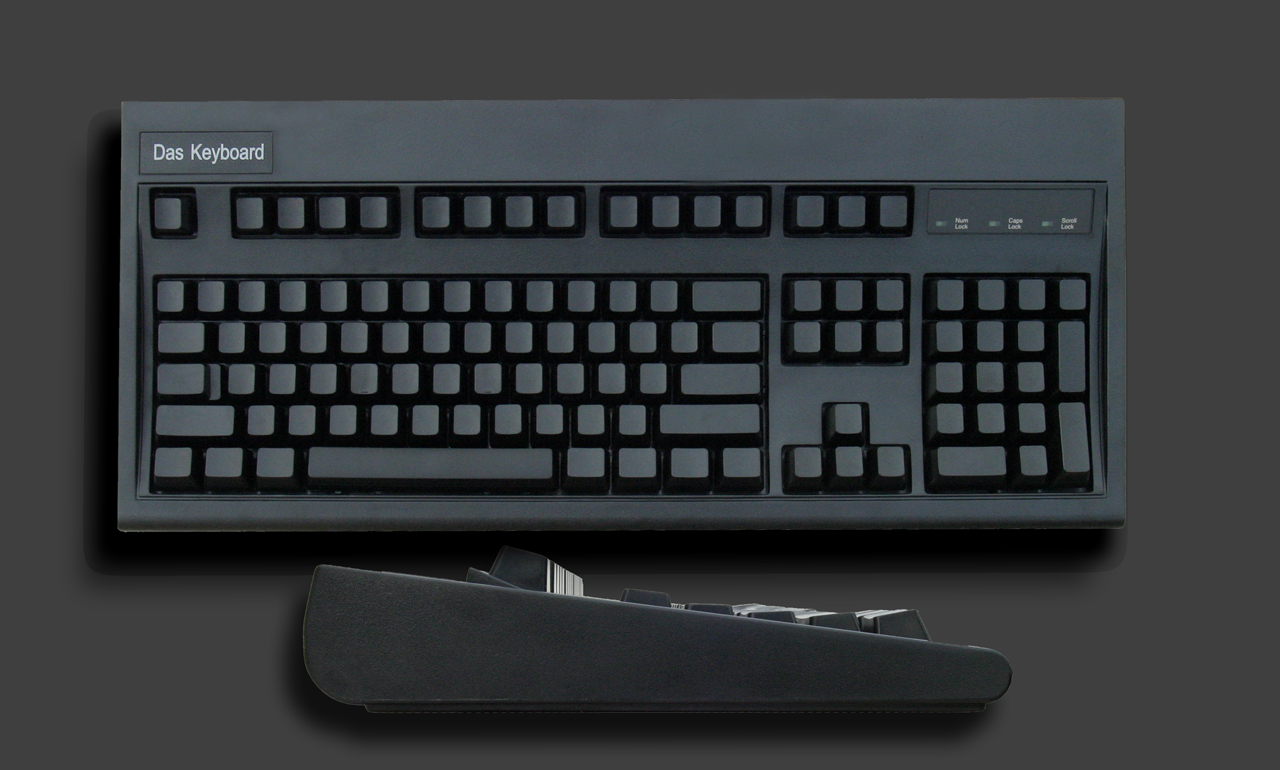
Face-profile-biggerThey folks over at DasKeyboard loaned me a reviewers copy of their totally blank keyboard about three weeks ago and I've been typing on it since.

Sure it's blank, and at cursory glance, that's a gimmick. But DasKeyboard claims to have individually weighted keys. Most keyboards have keys weighted at 55 grams of force - that's how hard you have to push. DasKeyboard has 5 different levels of force from 35 grams to 80 grams lined up with the varying strength of your fingers. I know that my pinky fingers do tend to hurt more than the primary fingers.

There's a 30-day guarantee, and they are currently on sale for $70. It's a smidge spendy - I'd pay no more than $50 myself, but +/-$20 it's a very nice feeling keyboard. The key travel is smooth and comfortable. Be aware, it uses a legacy-free USB interface, so no old-style keyboard interface here, but that shouldn't be a problem for a computer purchased this century.

I'm still having trouble with the [ ] bracket keys and a few other programmer specific symbols, but my prose typing has definitely improved in speed. When I go home now after using DasKeyboad for just under a month I don't have to look at my fingers at all. My wife likes it also as she's been trying to become a touch typer.

Another benefit for blank keys is easy switching between Dvorak and Qwerty keyboard layout. I've tried to switch twice and failed. One day I'll try again, probably with a blank keyboard. I know at least one co-worker who types Dvorak on a Qwerty keyboard. I'm not sure how he ignores the Qwerty lettering.

There are a few competitors out there like the Happy Hacking Keyboard that includes no cursor keys, but none have the individually weighted keys.

I'm very sorry to see my reviewer keyboard go back in the mail this week. If you're interested in typing faster, you're having finger fatigue, or you just would like a nice, classic keyboard with the added benefit of smoother, individually weighted keys and a nice key throw, you should check out DasKeyboard.

About Scott

Scott Hanselman is a former professor, former Chief Architect in finance, now speaker, consultant, father, diabetic, and Microsoft employee. He is a failed stand-up comic, a cornrower, and a book author.

facebook bluesky subscribe
About   Newsletter
Hosting By
Hosted on Linux using .NET in an Azure App Service

Visual Studio .NET 2005 in the Bathroom, again.

March 26, 2006 Comment on this post [2] Posted in TechEd | Speaking
Sponsored By

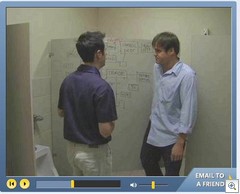
BackInTheBathroomThis new Visual Studio ad campaign is pretty funny actually. I dare say funnier that Rory and my attempt(s) at humor last year.

And they didn't even give us royalities for the bathroom idea...shame. ;)

Check out all the videos at http://www.400plusdifferences.com/, they are all funny.

About Scott

Scott Hanselman is a former professor, former Chief Architect in finance, now speaker, consultant, father, diabetic, and Microsoft employee. He is a failed stand-up comic, a cornrower, and a book author.

facebook bluesky subscribe
About   Newsletter
Hosting By
Hosted on Linux using .NET in an Azure App Service

The "Do My Slides Suck" Test

March 26, 2006 Comment on this post [1] Posted in TechEd | Speaking
Sponsored By

I'll post more on Presenting later this week as Patrick and I start creating our deck for this year's TechEd, but here's a great article called "Stop your presentation before it kills again!" The best part is the Do My Slides Suck Test:

The "Do My Slides Suck" Test

1) Do your slides contain mostly bullet points?
2) Do you have more than 12-15 words on a slide?
3) Do your slides add little or no new info beyond what you can say in words?
4) Are your slides, in fact, not memorable?
5) Are your slides emotionally empty?
6) Do your slides fail to encourage a deeper connection to or understanding of the topic?
7) Do your slides distort the data?
8) Do your slides encourage cognitive weakness? (refer to Tufte)

A "Yes" to any of those could be a huge red flag that something's wrong.

[From Creating Passionate Users]
 

About Scott

Scott Hanselman is a former professor, former Chief Architect in finance, now speaker, consultant, father, diabetic, and Microsoft employee. He is a failed stand-up comic, a cornrower, and a book author.

facebook bluesky subscribe
About   Newsletter
Hosting By
Hosted on Linux using .NET in an Azure App Service

Loving Mush - I mean Monad

March 23, 2006 Comment on this post [3] Posted in PowerShell | Watir | Ruby | TechEd | Speaking | PDC | XML
Sponsored By

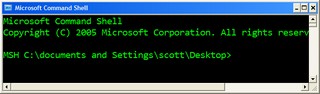
Microsoft Command ShellMaybe if I call the Microsoft Command Shell "mush" enough, it will catch on. MSH, or "Monad" is on my mind lately (again, after a quick and ill-timed dismissal at PDC), thanks to Keith Hill and the wealth of MSH bloggers out and content there. We did the Monad show, but this little shell is no fly-by-night. It's changing (changed?) the face of Windows Administration.

Just as the .NET Framework was "managed spackle" over the chaos that is the Win32 API, just as WinFX cleans it up even more, MSH (IMHO AFAIK if I can abuse the TLAs a bit) is a stunningly clean and well-thought out abstraction layer on top of everything.  To quote Arul: "Monad is the only scripting platform that provides access to .Net, WMI, COM in a well-integrated manner."

It's a shell, in the complete sense, but it's an engine for scripting everything that is already on your system. I'll post more about cool MSH Analyzer is and how you can host Monad in your own Admin applications later.

Here's the links from this week's Hanselminutes, but I'll add more and more at my del.icio.us feed for MSH.

 Pithy and Readable? Do tell!
MSH Wiki @ Channel 9
Monad Team's Technology Blog
Dan Sullivan msh+SMO
Sample Monad-MSH Scripts
Using-Culture -Culture culture -Script {scriptblock}
MSH Analyzer - it is born.
Monad Scripting Center
Getting MSDN help urls for .NET BCL types and Members
viveksharma.com: techlog
Keith Hill's Blog
A guided tour of the Microsoft Command Shell by Ryan Paul
Jeffrey Snover's Monad TechEd Presentation by Webcast
MSHVSS Provider 

Here's some "mush" examples that are fun to read and might give you a tiny taste of what you can do:

Download a feed and list the RSS Enclosures:

$url = "http://feeds.feedburner.com/ScottHanselman"
$feed = [xml](new-object System.Net.WebClient).DownloadString($url)
$feed.GetElementsByTagName("enclosure") | format-list

Find out about your system:

get-wmiobject win32_processor

Get a list of currently loaded Assemblies

[appdomain]::currentdomain.getassemblies() |ft fullname

Listing the currently open Explorer Windows

(new-object -com "Shell.Application").Windows() | select LocationName, LocationUrl

Open an IE window and navigate (smells like Watir...)

$ie = new-object -comobject Internetexplorer.application
$ie.Navigate2("http://www.microsoft.com")
$ie.visible=1

Get the latest Event Log entries:

get-eventlog Application -newest 100 | sort source

I encourage you to check it out. The learning curve is a little high, but at some point it "pops" and you're having a blast.

About Scott

Scott Hanselman is a former professor, former Chief Architect in finance, now speaker, consultant, father, diabetic, and Microsoft employee. He is a failed stand-up comic, a cornrower, and a book author.

facebook bluesky subscribe
About   Newsletter
Hosting By
Hosted on Linux using .NET in an Azure App Service

Disclaimer: The opinions expressed herein are my own personal opinions and do not represent my employer's view in any way.