ATTN Portlanders - Pioneer Courthouse Square launched their new site
 Hey Portland folks, Pioneer Courthouse Square - Portland's Living Room - launched their new site today.
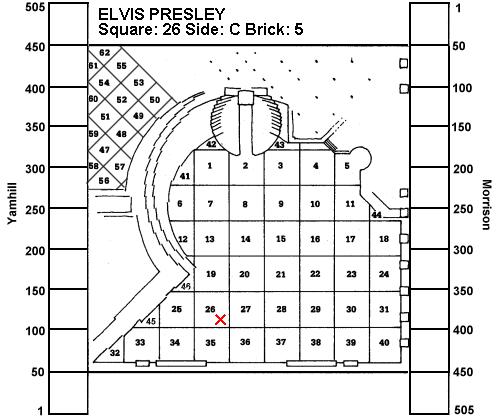
I did their BrickFinder application in C# and VB.NET a while back as a demo application. They had the whole thing in Excel until they hit the old 64,000 row limit. They upsized to Access 2.0 and went on their merry way. I updated them to VB6 about 7 years ago, and .NET last year. This recent face lift was easy, and for me just involved stylesheet changes and no major recompiles. It includes caching and a dynamically generated map of the square with your personalized brick highlighted.
If you are ever in Portland, check out the Elvis Brick. :)
About Scott
Scott Hanselman is a former professor, former Chief Architect in finance, now speaker, consultant, father, diabetic, and Microsoft employee. He is a failed stand-up comic, a cornrower, and a book author.


About Newsletter
