Scott Hanselman

The Programmer's Hindsight - Caching with HttpClientFactory and Polly Part 2

May 01, 2018 Comment on this post [6] Posted in ASP.NET | DotNetCore
Sponsored By

Hindsight - by Nate Steiner - Public DomainIn my last blog post Adding Cross-Cutting Memory Caching to an HttpClientFactory in ASP.NET Core with Polly I actually failed to complete my mission. I talked to a few people (thanks Dylan and Damian and friends) and I think my initial goal may have been wrong.

I thought I wanted "magic add this policy and get free caching" for HttpClients that come out of the new .NET Core 2.1 HttpClientFactory, but first, nothing is free, and second, everything (in computer science) is layered. Am I caching the right thing at the right layer?

The good thing that come out of explorations and discussions like this is Better Software. Given that I'm running Previews/Daily Builds of both .NET Core 2.1 (in preview as of the time of this writing) and Polly (always under active development) I realize I'm on some kind of cutting edge. The bad news (and it's not really bad) is that everything I want to do is possible it's just not always easy. For example, a lot of "hooking up" happens when one make a C# Extension Method and adds in into the ASP.NET Middleware Pipeline with "services.AddSomeStuffThatIsTediousButUseful()."

Polly and ASP.NET Core are insanely configurable, but I'm personally interested in the 80% or even the 90% case. The 10% will definitely require you/me to learn more about the internals of the system, while the 90% will ideally be abstracted away from the average developer (me).

I've had a Skype with Dylan from Polly and he's been updating the excellent Polly docs as we walk around how caching should work in an HttpClientFactory world. Fantastic stuff, go read it. I'll steal some here:

ASPNET Core 2.1 - What is HttpClient factory?

From ASPNET Core 2.1, Polly integrates with IHttpClientFactory. HttpClient factory is a factory that simplifies the management and usage of HttpClient in four ways. It:

  • allows you to name and configure logical HttpClients. For instance, you may configure a client that is pre-configured to access the github API;

  • manages the lifetime of HttpClientMessageHandlers to avoid some of the pitfalls associated with managing HttpClient yourself (the dont-dispose-it-too-often but also dont-use-only-a-singleton aspects);

  • provides configurable logging (via ILogger) for all requests and responses performed by clients created with the factory;

  • provides a simple API for adding middleware to outgoing calls, be that for logging, authorisation, service discovery, or resilience with Polly.

The Microsoft early announcement speaks more to these topics, and Steve Gordon's pair of blog posts (1; 2) are also an excellent read for deeper background and some great worked examples.

Polly and Polly policies work great with ASP.NET Core 2.1 and integrated nicely. I'm sure it will integrate even more conveniently with a few smart Extension Methods to abstract away the hard parts so we can fall into the "pit of success."

Caching with Polly and HttpClient

Here's where it gets interesting. To me. Or, you, I suppose, Dear Reader, if you made it this far into a blog post (and sentence) with too many commas.

This is a salient and important point:

Polly is generic (not tied to Http requests)

Now, this is where I got in trouble:

Caching with Polly CachePolicy in a DelegatingHandler caches at the HttpResponseMessage level

I ended up caching an HttpResponseMessage...but it has a "stream" inside it at HttpResponseMessage.Content. It's meant to be read once. Not cached. I wasn't caching a string, or some JSON, or some deserialized JSON objects, I ended up caching what's (effectively) an ephemeral one-time object and then de-serializing it every time. I mean, it's cached, but why am I paying the deserialization cost on every Page View?

The Programmer's Hindsight: This is such a classic programming/coding experience. Yesterday this was opaque and confusing. I didn't understand what was happening or why it was happening. Today - with The Programmer's Hindsight - I know exactly where I went wrong and why. Like, how did I ever think this was gonna work? ;)

As Dylan from Polly so wisely points out:

It may be more appropriate to cache at a level higher-up. For example, cache the results of stream-reading and deserializing to the local type your app uses. Which, ironically, I was already doing in my original code. It just felt heavy. Too much caching and too little business. I am trying to refactor it away and make it more generic!

This is my "ShowDatabase" (just a JSON file) that wraps my httpClient

public class ShowDatabase : IShowDatabase
{
    private readonly IMemoryCache _cache;
    private readonly ILogger _logger;
    private SimpleCastClient _client;
 
    public ShowDatabase(IMemoryCache memoryCache,
            ILogger<ShowDatabase> logger,
            SimpleCastClient client)
    {
        _client = client;
        _logger = logger;
        _cache = memoryCache;
    }
 
    static SemaphoreSlim semaphoreSlim = new SemaphoreSlim(1);
  
    public async Task<List<Show>> GetShows()
    {
        Func<Show, bool> whereClause = c => c.PublishedAt < DateTime.UtcNow;
 
        var cacheKey = "showsList";
        List<Show> shows = null;
 
        //CHECK and BAIL - optimistic
        if (_cache.TryGetValue(cacheKey, out shows))
        {
            _logger.LogDebug($"Cache HIT: Found {cacheKey}");
            return shows.Where(whereClause).ToList();
        }
 
        await semaphoreSlim.WaitAsync();
        try
        {
            //RARE BUT NEEDED DOUBLE PARANOID CHECK - pessimistic
            if (_cache.TryGetValue(cacheKey, out shows))
            {
                _logger.LogDebug($"Amazing Speed Cache HIT: Found {cacheKey}");
                return shows.Where(whereClause).ToList();
            }
 
            _logger.LogWarning($"Cache MISS: Loading new shows");
            shows = await _client.GetShows();
            _logger.LogWarning($"Cache MISS: Loaded {shows.Count} shows");
            _logger.LogWarning($"Cache MISS: Loaded {shows.Where(whereClause).ToList().Count} PUBLISHED shows");
 
            var cacheExpirationOptions = new MemoryCacheEntryOptions();
            cacheExpirationOptions.AbsoluteExpiration = DateTime.Now.AddHours(4);
            cacheExpirationOptions.Priority = CacheItemPriority.Normal;
 
            _cache.Set(cacheKey, shows, cacheExpirationOptions);
            return shows.Where(whereClause).ToList(); ;
        }
        catch (Exception e)
        {
            _logger.LogCritical("Error getting episodes!");
            _logger.LogCritical(e.ToString());
            _logger.LogCritical(e?.InnerException?.ToString());
            throw;
        }
        finally
        {
            semaphoreSlim.Release();
        }
    }
}
 
public interface IShowDatabase
{
    Task<List<Show>> GetShows();
}

I'll move a bunch of this into some generic helpers for myself, or I'll use Akavache, or I'll try another Polly Cache Policy implemented farther up the call stack! Thanks for reading my ramblings!

UPDATE: Be sure to read the comments below AND my response in Part 2.


Sponsor: SparkPost’s cloud email APIs and C# library make it easy for you to add email messaging to your .NET applications and help ensure your messages reach your user’s inbox on time. Get a free developer account and a head start on your integration today!

About Scott

Scott Hanselman is a former professor, former Chief Architect in finance, now speaker, consultant, father, diabetic, and Microsoft employee. He is a failed stand-up comic, a cornrower, and a book author.

facebook bluesky subscribe
About   Newsletter
Hosting By
Hosted on Linux using .NET in an Azure App Service

Adding Cross-Cutting Memory Caching to an HttpClientFactory in ASP.NET Core with Polly

April 27, 2018 Comment on this post [4] Posted in DotNetCore
Sponsored By

5480805977_27d92598ca_oCouple days ago I Added Resilience and Transient Fault handling to your .NET Core HttpClient with Polly. Polly provides a way to pre-configure instances of HttpClient which apply Polly policies to every outgoing call. That means I can say things like "Call this API and try 3 times if there's any issues before you panic," as an example. It lets me move the cross-cutting concerns - the policies - out of the business part of the code and over to a central location or module, or even configuration if I wanted.

I've been upgrading my podcast of late at https://www.hanselminutes.com to ASP.NET Core 2.1 and Razor Pages with SimpleCast for the back end. Since I've removed SQL Server as my previous data store and I'm now sitting entirely on top of a third party API I want to think about how often I call this API. As a rule, there's no reason to call it any more often that a change might occur.

I publish a new show every Thursday at 5pm PST, so I suppose I could cache the feed for 7 days, but sometimes I make description changes, add links, update titles, etc. The show gets many tens of thousands of hits per episode so I definitely don't want to abuse the SimpleCast API, so I decided that caching for 4 hours seemed reasonable.

I went and wrote a bunch of caching code on my own. This is fine and it works and has been in production for a few months without any issues.

A few random notes:

  • Stuff is being passed into the Constructor by the IoC system built into ASP.NET Core
    • That means the HttpClient, Logger, and MemoryCache are handed to this little abstraction. I don't new them up myself
  • All my "Show Database" is, is a GetShows()
    • That means I have TestDatabase that implements IShowDatabase that I use for some Unit Tests. And I could have multiple implementations if I liked.
  • Caching here is interesting.
    • Sure I could do the caching in just a line or two, but a caching double check is more needed that one often realizes.
    • I check the cache, and if I hit it, I am done and I bail. Yay!
    • If not, Let's wait on a semaphoreSlim. This a great, simple way to manage waiting around a limited resource. I don't want to accidentally have two threads call out to the SimpleCast API if I'm literally in the middle of doing it already.
      • "The SemaphoreSlim class represents a lightweight, fast semaphore that can be used for waiting within a single process when wait times are expected to be very short."
    • So I check again inside that block to see if it showed up in the cache in the space between there and the previous check. Doesn't hurt to be paranoid.
    • Got it? Cool. Store it away and release as we finally the try.

Don't copy paste this. My GOAL is to NOT have to do any of this, even though it's valid.

public class ShowDatabase : IShowDatabase
{
private readonly IMemoryCache _cache;
private readonly ILogger _logger;
private SimpleCastClient _client;

public ShowDatabase(IMemoryCache memoryCache,
ILogger<ShowDatabase> logger,
SimpleCastClient client)
{
_client = client;
_logger = logger;
_cache = memoryCache;
}

static SemaphoreSlim semaphoreSlim = new SemaphoreSlim(1);

public async Task<List<Show>> GetShows()
{
Func<Show, bool> whereClause = c => c.PublishedAt < DateTime.UtcNow;

var cacheKey = "showsList";
List<Show> shows = null;

//CHECK and BAIL - optimistic
if (_cache.TryGetValue(cacheKey, out shows))
{
_logger.LogDebug($"Cache HIT: Found {cacheKey}");
return shows.Where(whereClause).ToList();
}

await semaphoreSlim.WaitAsync();
try
{
//RARE BUT NEEDED DOUBLE PARANOID CHECK - pessimistic
if (_cache.TryGetValue(cacheKey, out shows))
{
_logger.LogDebug($"Amazing Speed Cache HIT: Found {cacheKey}");
return shows.Where(whereClause).ToList();
}

_logger.LogWarning($"Cache MISS: Loading new shows");
shows = await _client.GetShows();
_logger.LogWarning($"Cache MISS: Loaded {shows.Count} shows");
_logger.LogWarning($"Cache MISS: Loaded {shows.Where(whereClause).ToList().Count} PUBLISHED shows");

var cacheExpirationOptions = new MemoryCacheEntryOptions();
cacheExpirationOptions.AbsoluteExpiration = DateTime.Now.AddHours(4);
cacheExpirationOptions.Priority = CacheItemPriority.Normal;

_cache.Set(cacheKey, shows, cacheExpirationOptions);
return shows.Where(whereClause).ToList(); ;
}
catch (Exception e)
{
_logger.LogCritical("Error getting episodes!");
_logger.LogCritical(e.ToString());
_logger.LogCritical(e?.InnerException?.ToString());
throw;
}
finally
{
semaphoreSlim.Release();
}
}
}

public interface IShowDatabase
{
Task<List<Show>> GetShows();
}

Again, this is great and it works fine. But the BUSINESS is in _client.GetShows() and the rest is all CEREMONY. Can this be broken up? Sure, I could put stuff in a base class, or make an extension method and bury it in there, so use Akavache or make a GetOrFetch and start passing around Funcs of "do this but check here first":

IObservable<T> GetOrFetchObject<T>(string key, Func<Task<T>> fetchFunc, DateTimeOffset? absoluteExpiration = null);

Could I use Polly and refactor via subtraction?

Per the Polly docs:

The Polly CachePolicy is an implementation of read-through cache, also known as the cache-aside pattern. Providing results from cache where possible reduces overall call duration and can reduce network traffic.

First, I'll remove all my own caching code and just make the call on every page view. Yes, I could write the Linq a few ways. Yes, this could all be one line. Yes, I like Logging.

public async Task<List<Show>> GetShows()
{
_logger.LogInformation($"Loading new shows");
List<Show> shows = await _client.GetShows();
_logger.LogInformation($"Loaded {shows.Count} shows");
return shows.Where(c => c.PublishedAt < DateTime.UtcNow).ToList(); ;
}

No caching, I'm doing The Least.

Polly supports both the .NET MemoryCache that is per process/per node, an also .NET Core's IDistributedCache for having one cache that lives somewhere shared like Redis or SQL Server. Since my podcast is just one node, one web server, and it's low-CPU, I'm not super worried about it. If Azure WebSites does end up auto-scaling it, sure, this cache strategy will happen n times. I'll switch to Distributed if that becomes a problem.

I'll add a reference to Polly.Caching.MemoryCache in my project.

I ensure I have the .NET Memory Cache in my list of services in ConfigureServices in Startup.cs:

services.AddMemoryCache();

STUCK...for now!

AND...here is where I'm stuck. I got this far into the process and now I'm either confused OR I'm in a Chicken and the Egg Situation.

Forgive me, friends, and Polly authors, as this Blog Post will temporarily turn into a GitHub Issue. Once I work through it, I'll update this so others can benefit. And I still love you; no disrespect intended.

The Polly.Caching.MemoryCache stuff is several months old, and existed (and worked) well before the new HttpClientFactory stuff I blogged about earlier.

I would LIKE to add my Polly Caching Policy chained after my Transient Error Policy:

services.AddHttpClient<SimpleCastClient>().
AddTransientHttpErrorPolicy(policyBuilder => policyBuilder.CircuitBreakerAsync(
handledEventsAllowedBeforeBreaking: 2,
durationOfBreak: TimeSpan.FromMinutes(1)
)).
AddPolicyHandlerFromRegistry("myCachingPolicy"); //WHAT I WANT?

However, that policy hasn't been added to the Policy Registry yet. It doesn't exist! This makes me feel like some of the work that is happening in ConfigureServices() is a little premature. ConfigureServices() is READY, AIM and Configure() is FIRE/DO-IT, in my mind.

If I set up a Memory Cache in Configure, I need to use the Dependency System to get the stuff I want, like the .NET Core IMemoryCache that I put in services just now.

public void Configure(IApplicationBuilder app, IPolicyRegistry<string> policyRegistry, IMemoryCache memoryCache)
{
MemoryCacheProvider memoryCacheProvider = new MemoryCacheProvider(memoryCache);
var cachePolicy = Policy.CacheAsync(memoryCacheProvider, TimeSpan.FromMinutes(5));
policyRegistry.Add("cachePolicy", cachePolicy);
...

But at this point, it's too late! I need this policy up earlier...or I need to figure a way to tell the HttpClientFactory to use this policy...but I've been using extension methods in ConfigureServices to do that so far. Perhaps some exception methods are needed like AddCachingPolicy(). However, from what I can see:

  • This code can't work with the ASP.NET Core 2.1's HttpClientFactory pattern...yet. https://github.com/App-vNext/Polly.Caching.MemoryCache
  • I could manually new things up, but I'm already deep into Dependency Injection...I don't want to start newing things and get into scoping issues.
  • There appear to be changes between  v5.4.0 and 5.8.0. Still looking at this.
  • Bringing in the Microsoft.Extensions.Http.Polly package brings in Polly-Signed 5.8.0...

I'm likely bumping into a point in time thing. I will head to bed and return to this post in a day and see if I (or you, Dear Reader) have solved the problem in my sleep.

"code making and code breaking" by earthlightbooks - Licensed under CC-BY 2.0 - Original source via Flickr


Sponsor: Check out JetBrains Rider: a cross-platform .NET IDE. Edit, refactor, test and debug ASP.NET, .NET Framework, .NET Core, Xamarin or Unity applications. Learn more and download a 30-day trial!

About Scott

Scott Hanselman is a former professor, former Chief Architect in finance, now speaker, consultant, father, diabetic, and Microsoft employee. He is a failed stand-up comic, a cornrower, and a book author.

facebook bluesky subscribe
About   Newsletter
Hosting By
Hosted on Linux using .NET in an Azure App Service

Adding Resilience and Transient Fault handling to your .NET Core HttpClient with Polly

April 23, 2018 Comment on this post [9] Posted in ASP.NET | DotNetCore | Open Source
Sponsored By

b30f5128-181e-11e6-8780-bc9e5b17685eLast week while upgrading my podcast site to ASP.NET Core 2.1 and .NET. Core 2.1 I moved my Http Client instances over to be created by the new HttpClientFactory. Now I have a single central place where my HttpClient objects are created and managed, and I can set policies as I like on each named client.

It really can't be overstated how useful a resilience framework for .NET Core like Polly is.

Take some code like this that calls a backend REST API:

public class SimpleCastClient
{
private HttpClient _client;
private ILogger<SimpleCastClient> _logger;
private readonly string _apiKey;

public SimpleCastClient(HttpClient client, ILogger<SimpleCastClient> logger, IConfiguration config)
{
_client = client;
_client.BaseAddress = new Uri($"https://api.simplecast.com");
_logger = logger;
_apiKey = config["SimpleCastAPIKey"];
}

public async Task<List<Show>> GetShows()
{
var episodesUrl = new Uri($"/v1/podcasts/shownum/episodes.json?api_key={_apiKey}", UriKind.Relative);
var res = await _client.GetAsync(episodesUrl);
return await res.Content.ReadAsAsync<List<Show>>();
}
}

Now consider what it takes to add things like

  • Retry n times - maybe it's a network blip
  • Circuit-breaker - Try a few times but stop so you don't overload the system.
  • Timeout - Try, but give up after n seconds/minutes
  • Cache - You asked before!
    • I'm going to do a separate blog post on this because I wrote a WHOLE caching system and I may be able to "refactor via subtraction."

If I want features like Retry and Timeout, I could end up littering my code. OR, I could put it in a base class and build a series of HttpClient utilities. However, I don't think I should have to do those things because while they are behaviors, they are really cross-cutting policies. I'd like a central way to manage HttpClient policy!

Enter Polly. Polly is an OSS library with a lovely Microsoft.Extensions.Http.Polly package that you can use to combine the goodness of Polly with ASP.NET Core 2.1.

As Dylan from the Polly Project says:

HttpClientFactory in ASPNET Core 2.1 provides a way to pre-configure instances of HttpClient which apply Polly policies to every outgoing call.

I just went into my Startup.cs and changed this

services.AddHttpClient<SimpleCastClient>();

to this (after adding "using Polly;" as a namespace)

services.AddHttpClient<SimpleCastClient>().
AddTransientHttpErrorPolicy(policyBuilder => policyBuilder.RetryAsync(2));

and now I've got Retries. Change it to this:

services.AddHttpClient<SimpleCastClient>().
AddTransientHttpErrorPolicy(policyBuilder => policyBuilder.CircuitBreakerAsync(
handledEventsAllowedBeforeBreaking: 2,
durationOfBreak: TimeSpan.FromMinutes(1)
));

And now I've got CircuitBreaker where it backs off for a minute if it's broken (hit a handled fault) twice!

I like AddTransientHttpErrorPolicy because it automatically handles Http5xx's and Http408s as well as the occasional System.Net.Http.HttpRequestException. I can have as many named or typed HttpClients as I like and they can have all kinds of specific policies with VERY sophisticated behaviors. If those behaviors aren't actual Business Logic (tm) then why not get them out of your code?

Go read up on Polly at https://githaub.com/App-vNext/Polly and check out the extensive samples at https://github.com/App-vNext/Polly-Samples/tree/master/PollyTestClient/Samples.

Even though it works great with ASP.NET Core 2.1 (best, IMHO) you can use Polly with .NET 4, .NET 4.5, or anything that's compliant with .NET Standard 1.1.

Gotchas

A few things to remember. If you are POSTing to an endpoint and applying retries, you want that operation to be idempotent.

"From a RESTful service standpoint, for an operation (or service call) to be idempotent, clients can make that same call repeatedly while producing the same result."

But everyone's API is different. What would happen if you applied a Polly Retry Policy to an HttpClient and it POSTed twice? Is that backend behavior compatible with your policies? Know what the behavior you expect is and plan for it. You may want to have a GET policy and a post one and use different HttpClients. Just be conscious.

Next, think about Timeouts. HttpClient's have a Timeout which is "all tries overall timeout" while a TimeoutPolicy inside a Retry is "timeout per try." Again, be aware.

Thanks to Dylan Reisenberger for his help on this post, along with Joel Hulen! Also read more about HttpClientFactory on Steve Gordon's blog and learn more about HttpClientFactory and Polly on the Polly project site.


Sponsor: Check out JetBrains Rider: a cross-platform .NET IDE. Edit, refactor, test and debug ASP.NET, .NET Framework, .NET Core, Xamarin or Unity applications. Learn more and download a 30-day trial!

About Scott

Scott Hanselman is a former professor, former Chief Architect in finance, now speaker, consultant, father, diabetic, and Microsoft employee. He is a failed stand-up comic, a cornrower, and a book author.

facebook bluesky subscribe
About   Newsletter
Hosting By
Hosted on Linux using .NET in an Azure App Service

HttpClientFactory for typed HttpClient instances in ASP.NET Core 2.1

April 20, 2018 Comment on this post [6] Posted in ASP.NET | DotNetCore
Sponsored By

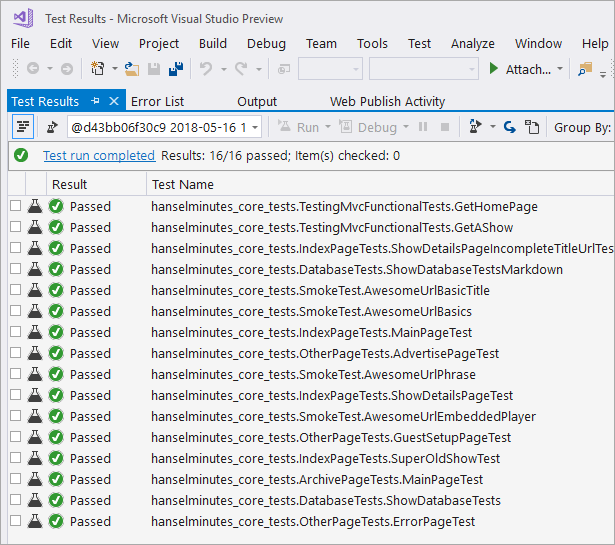
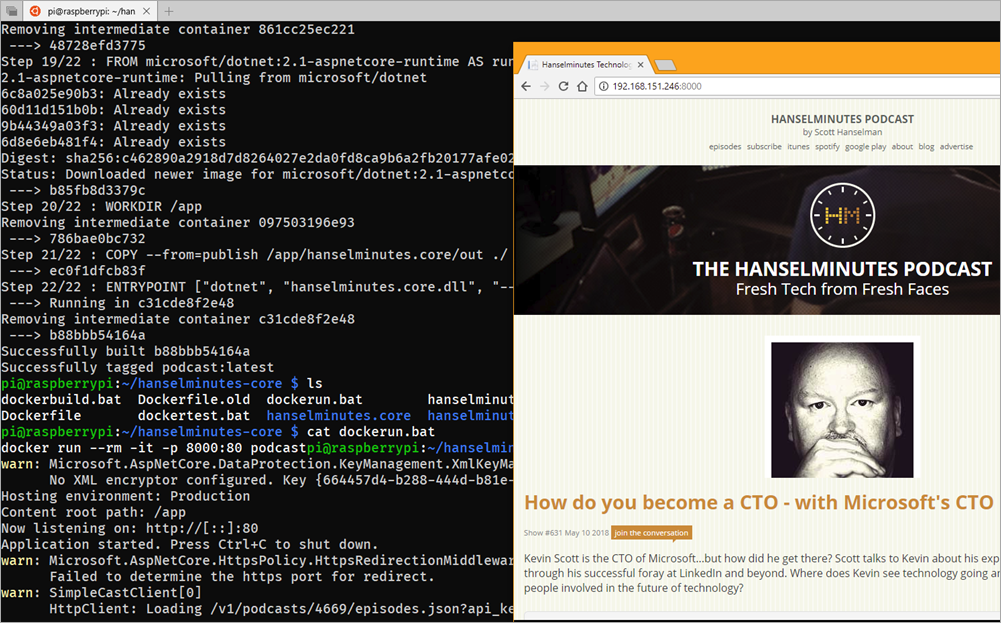
THE HANSELMINUTES PODCASTI'm continuing to upgrade my podcast site https://www.hanselminutes.com to .NET Core 2.1 running ASP.NET Core 2.1. I'm using Razor Pages having converted my old Web Matrix Site (like 8 years old) and it's gone very smoothly. I've got a ton of blog posts queued up as I'm learning a ton. I've added Unit Testing for the Razor Pages as well as more complete Integration Testing for checking things "from the outside" like URL redirects.

My podcast has recently switched away from a custom database over to using SimpleCast and their REST API for the back end. There's a number of ways to abstract that API away as well as the HttpClient that will ultimately make the call to the SimpleCast backend. I am a fan of the Refit library for typed REST Clients and there are ways to integrate these two things but for now I'm going to use the new HttpClientFactory introduced in ASP.NET Core 2.1 by itself.

Next I'll look at implementing a Polly Handler for resilience policies to be used like Retry, WaitAndRetry, and CircuitBreaker, etc. (I blogged about Polly in 2015 - you should check it out) as it's just way too useful to not use.

HttpClient Factory lets you preconfigure named HttpClients with base addresses and default headers so you can just ask for them later by name.

public void ConfigureServices(IServiceCollection services)
{
services.AddHttpClient("SomeCustomAPI", client =>
{
client.BaseAddress = new Uri("https://someapiurl/");
client.DefaultRequestHeaders.Add("Accept", "application/json");
client.DefaultRequestHeaders.Add("User-Agent", "MyCustomUserAgent");
});
services.AddMvc();
}

Then later you ask for it and you've got less to worry about.

using System.Threading.Tasks;
using Microsoft.AspNetCore.Mvc;

namespace MyApp.Controllers
{
public class HomeController : Controller
{
private readonly IHttpClientFactory _httpClientFactory;

public HomeController(IHttpClientFactory httpClientFactory)
{
_httpClientFactory = httpClientFactory;
}

public Task<IActionResult> Index()
{
var client = _httpClientFactory.CreateClient("SomeCustomAPI");
return Ok(await client.GetStringAsync("/api"));
}
}
}

I prefer a TypedClient and I just add it by type in Startup.cs...just like above except:

services.AddHttpClient<SimpleCastClient>();

Note that I could put the BaseAddress in multiple places depending on if I'm calling my own API, a 3rd party, or some dev/test/staging version. I could also pull it from config:

services.AddHttpClient<SimpleCastClient>(client => client.BaseAddress = new Uri(Configuration["SimpleCastServiceUri"]));

Again, I'll look at ways to make this even simpler AND more robust (it has no retries, etc) with Polly soon.

public class SimpleCastClient
{
private HttpClient _client;
private ILogger<SimpleCastClient> _logger;
private readonly string _apiKey;

public SimpleCastClient(HttpClient client, ILogger<SimpleCastClient> logger, IConfiguration config)
{
_client = client;
_client.BaseAddress = new Uri($"https://api.simplecast.com"); //Could also be set in Startup.cs
_logger = logger;
_apiKey = config["SimpleCastAPIKey"];
}

public async Task<List<Show>> GetShows()
{
try
{
var episodesUrl = new Uri($"/v1/podcasts/shownum/episodes.json?api_key={_apiKey}", UriKind.Relative);
_logger.LogWarning($"HttpClient: Loading {episodesUrl}");
var res = await _client.GetAsync(episodesUrl);
res.EnsureSuccessStatusCode();
return await res.Content.ReadAsAsync<List<Show>>();
}
catch (HttpRequestException ex)
{
_logger.LogError($"An error occurred connecting to SimpleCast API {ex.ToString()}");
throw;
}
}
}

Once I have the client I can use it from another layer, or just inject it with [FromServices] whenever I have a method that needs one:

public class IndexModel : PageModel
{
public async Task OnGetAsync([FromServices]SimpleCastClient client)
{
var shows = await client.GetShows();
}
}

Or in the constructor:

public class IndexModel : PageModel
{
private SimpleCastClient _client;

public IndexModel(SimpleCastClient Client)
{
_client = Client;
}
public async Task OnGetAsync()
{
var shows = await _client.GetShows();
}
}

Another nice side effect is that HttpClients that are created from the HttpClientFactory give me free logging:

info: System.Net.Http.ShowsClient.LogicalHandler[100]
Start processing HTTP request GET https://api.simplecast.com/v1/podcasts/shownum/episodes.json?api_key=
System.Net.Http.ShowsClient.LogicalHandler:Information: Start processing HTTP request GET https://api.simplecast.com/v1/podcasts/shownum/episodes.json?api_key=
info: System.Net.Http.ShowsClient.ClientHandler[100]
Sending HTTP request GET https://api.simplecast.com/v1/podcasts/shownum/episodes.json?api_key=
System.Net.Http.ShowsClient.ClientHandler:Information: Sending HTTP request GET https://api.simplecast.com/v1/podcasts/shownum/episodes.json?api_key=
info: System.Net.Http.ShowsClient.ClientHandler[101]
Received HTTP response after 882.8487ms - OK
System.Net.Http.ShowsClient.ClientHandler:Information: Received HTTP response after 882.8487ms - OK
info: System.Net.Http.ShowsClient.LogicalHandler[101]
End processing HTTP request after 895.3685ms - OK
System.Net.Http.ShowsClient.LogicalHandler:Information: End processing HTTP request after 895.3685ms - OK

It was super easy to move my existing code over to this model, and I'll keep simplifying AND adding other features as I learn more.


Sponsor: Check out JetBrains Rider: a cross-platform .NET IDE. Edit, refactor, test and debug ASP.NET, .NET Framework, .NET Core, Xamarin or Unity applications. Learn more and download a 30-day trial!

About Scott

Scott Hanselman is a former professor, former Chief Architect in finance, now speaker, consultant, father, diabetic, and Microsoft employee. He is a failed stand-up comic, a cornrower, and a book author.

facebook bluesky subscribe
About   Newsletter
Hosting By
Hosted on Linux using .NET in an Azure App Service

How to setup Signed Git Commits with a YubiKey NEO and GPG and Keybase on Windows

April 18, 2018 Comment on this post [8] Posted in Open Source
Sponsored By

This commit was signed with a verified signature.This week in obscure blog titles, I bring you the nightmare that is setting up Signed Git Commits with a YubiKey NEO and GPG and Keybase on Windows. This is one of those "it's good for you" things like diet and exercise and setting up 2 Factor Authentication. I just want to be able to sign my code commits to GitHub so I might avoid people impersonating my Git Commits (happens more than you'd think and has happened recently.) However, I also was hoping to make it more secure by using a YubiKey 4 or Yubikey NEO security key. They're happy to tell you that it supports a BUNCH of stuff that you have never heard of like Yubico OTP, OATH-TOTP, OATH-HOTP, FIDO U2F, OpenPGP, Challenge-Response. I am most concerned with it acting like a Smart Card that holds a PGP (Pretty Good Privacy) key since the YubiKey can look like a "PIV (Personal Identity Verification) Smart Card."

NOTE: I am not a security expert. Let me know if something here is wrong (be nice) and I'll update it. Note also that there are a LOT of guides out there. Some are complete and encyclopedic, some include recommendations and details that are "too much," but this one was my experience. This isn't The Bible On The Topic but rather  what happened with me and what I ran into and how I got past it. Until this is Super Easy (TM) on Windows, there's gonna be guides like this.

As with all things security, there is a balance between Capital-S Secure with offline air-gapped what-nots, and Ease Of Use with tools like Keybase. It depends on your tolerance, patience, technical ability, and if you trust any online services. I like Keybase and trust them so I'm starting there with a Private Key. You can feel free to get/generate your key from wherever makes you happy and secure.

Welcome to Keybase.io

I use Windows and I like it, so if you want to use a Mac or Linux this blog post likely isn't for you. I love and support you and your choice though. ;)

Make sure you have a private PGP key that has your Git Commit Email Address associated with it

I download and installed (and optionally donated) a copy of Gpg4Win here.

Take your private key - either the one you got from Keybase or one you generated locally - and make sure that your UID (your email address that you use on GitHub) is a part of it. Here you can see mine is not, yet. That could be the main email or might be an alias or "uid" that you'll add.

Certs in Kleopatra

If not - as in my case since I'm using a key from keybase - you'll need to add a new uid to your private key. You will know you got it right when you run this command and see your email address inside it.

> gpg --list-secret-keys --keyid-format LONG

------------------------------------------------
sec# rsa4096/MAINKEY 2015-02-09 [SCEA]

uid [ultimate] keybase.io/shanselman <shanselman@keybase.io>

You can adduid in the gpg command line or you can add it in the Kleopatra GUI.

image

List them again and you'll see the added uid.

> gpg --list-secret-keys --keyid-format LONG

------------------------------------------------
sec# rsa4096/MAINKEY 2015-02-09 [SCEA]
uid [ultimate] keybase.io/shanselman <shanselman@keybase.io>
uid [ unknown] Scott Hanselman <scott@hanselman.com>

When you make changes like this, you can export your public key and update it in Keybase.io (again, if you're using Keybase).

image

Plugin your YubiKey

When you plug your YubiKey in (assuming it's newer than 2015) it should get auto-detected and show up like this "Yubikey NEO OTP+U2F+CCID." You want it so show up as this kind of "combo" or composite device. If it's older or not in this combo mode, you may need to download the YubiKey NEO Manager and switch modes.

Setting up a YubiKey on Windows

Test that your YubiKey can be seen as a Smart Card

Go to the command line and run this to confirm that your Yubikey can be see as a smart card by the GPG command line.

> gpg --card-status
Reader ...........: Yubico Yubikey NEO OTP U2F CCID 0
Version ..........: 2.0
....

IMPORTANT: Sometimes Windows machines and Corporate Laptops have multiple smart card readers, especially if they have Windows Hello installed like my SurfaceBook2! If you hit this, you'll want to create a text file at %appdata%\gnupg\scdaemon.conf and include a reader-port that points to your YubiKey. Mine is a NEO, yours might be a 4, etc, so be aware. You may need to reboot or at least restart/kill the GPG services/background apps for it to notice you made a change.
If you want to know what string should go in that file, go to Device Manager, then View | Show Hidden Devices and look under Software Devices. THAT is the string you want. Put this in scdaemon.conf:

reader-port "Yubico Yubikey NEO OTP+U2F+CCID 0"

Yubico Yubikey NEO OTP+U2F+CCID 0

Yubikey NEO can hold keys up to 2048 bits and the Yubikey 4 can hold up to 4096 bits - that's MOAR bits! However, you might find yourself with a 4096 bit key that is too big for the Yubikey NEO. Lots of folks believe this is a limitation of the NEO that sucks and is unacceptable. Since I'm using Keybase and starting with a 4096 bit key, one solution is to make separate 2048 bit subkeys for Authentication and Signing, etc.

From the command line, edit your keys then "addkey"

> gpg --edit-key <scott@hanselman.com>

You'll make a 2048 bit Signing key and you'll want to decide if it ever expires. If it never does, also make a revocation certificate so you can revoke it at some future point.

gpg> addkey
Please select what kind of key you want:
(3) DSA (sign only)
(4) RSA (sign only)
(5) Elgamal (encrypt only)
(6) RSA (encrypt only)
Your selection? 4
RSA keys may be between 1024 and 4096 bits long.
What keysize do you want? (2048)
Requested keysize is 2048 bits
Please specify how long the key should be valid.
0 = key does not expire
<n> = key expires in n days
<n>w = key expires in n weeks
<n>m = key expires in n months
<n>y = key expires in n years
Key is valid for? (0)
Key does not expire at all

Save your changes, and then export the keys. You can do that with Kleopatra or with the command line:

--export-secret-keys --armor KEYID

Here's a GUI view. I have my main 4096 bit key and some 2048 bit subkeys for Signing or Encryption, etc. Make as many as you like

image

LEVEL SET - It will be the public version of the 2048 bit Signing Key that we'll tell GitHub about and we'll put the private part on the YubiKey, acting as a Smart Card.

Move the signing subkey over to the YubiKey

Now I'm going to take my keychain here, select the signing one (note the ASTERISK after I type "key 1" then "keytocard" to move/store it on the YubyKey's SmartCard Signature slot. I'm using my email as a way to get to my key, but if your email is used in multiple keys you'll want to use the unique Key Id/Signature. BACK UP YOUR KEYS.

> gpg --edit-key scott@hanselman.com

gpg (GnuPG) 2.2.6; Copyright (C) 2018 Free Software Foundation, Inc.
This is free software: you are free to change and redistribute it.
There is NO WARRANTY, to the extent permitted by law.

sec rsa4096/MAINKEY
created: 2015-02-09 expires: never usage: SCEA
trust: ultimate validity: ultimate
ssb rsa2048/THEKEYIDFORTHE2048BITSIGNINGKEY
created: 2015-02-09 expires: 2023-02-07 usage: S
card-no: 0006
ssb rsa2048/KEY2
created: 2015-02-09 expires: 2023-02-07 usage: E
[ultimate] (1). keybase.io/shanselman <shanselman@keybase.io>
[ultimate] (2) Scott Hanselman <scott@hanselman.com>
gpg> toggle
gpg> key 1

sec rsa4096/MAINKEY
created: 2015-02-09 expires: never usage: SCEA
trust: ultimate validity: ultimate
ssb* rsa2048/THEKEYIDFORTHE2048BITSIGNINGKEY
created: 2015-02-09 expires: 2023-02-07 usage: S
card-no: 0006
ssb rsa2048/KEY2
created: 2015-02-09 expires: 2023-02-07 usage: E
[ultimate] (1). keybase.io/shanselman <shanselman@keybase.io>
[ultimate] (2) Scott Hanselman <scott@hanselman.com>

gpg> keytocard
Please select where to store the key:
(1) Signature key
(3) Authentication key
Your selection? 1
gpg> save

If you're storing thing on your Smart Card, it should have a pin to protect it. Also, make sure you have a backup of your primary key (if you like) because keytocard is a destructive action.

Have you set up PIN numbers for your Smart Card?

There's a PIN and an Admin PIN. The Admin PIN is the longer one. The default admin PIN is usually ‘12345678’ and the default PIN is usually ‘123456’. You'll want to set these up with either the Kleopatra GUI "Tools | Manage Smart Cards" or the gpg command line:

>gpg --card-edit
gpg/card> admin
Admin commands are allowed
gpg/card> passwd
*FOLLOW THE PROMPTS TO SET PINS, BOTH ADMIN AND STANDARD*

Tell Git about your Signing Key Globally

Be sure to tell Git on your machine some important configuration info like your signing key, but also WHERE the gpg.exe is. This is important because git ships its own older local copy of gpg.exe and you installed a newer one!

git config --global gpg.program "c:\Program Files (x86)\GnuPG\bin\gpg.exe"
git config --global commit.gpgsign true
git config --global user.signingkey THEKEYIDFORTHE2048BITSIGNINGKEY

If you don't want to set ALL commits to signed, you can skip the commit.gpgsign=true and just include -S as you commit your code:

git commit -S -m your commit message

Test that you can sign things

if you are running Kleopatra (the noob Windows GUI) when you run gpg --card-status you'll notice the cert will turn boldface and get marked as certified.

The goal here is for you to make sure GPG for Windows knows that there's a private key on the smart card, and associates a signing Key ID with that private key so when Git wants to sign a commit, you'll get a Smart Card PIN Prompt.

Advanced: If you make SubKeys for individual things so that they might also be later revoked without torching your main private key. Using the Kleopatra tool from GPG for Windows you can explore the keys and get their IDs. You'll use those Subkey IDs in your git config to remove to your signingkey.

At this point things should look kinda like this in the Kleopatra GUI:

Multiple PGP Sub keys

Make sure to prove you can sign something by making a text file and signing it. If you get a Smart Card prompt (assuming a YubiKey) and a larger .gpg file appears, you're cool.

> gpg --sign .\quicktest.txt
> dir quic*

Mode LastWriteTime Length Name
---- ------------- ------ ----
-a---- 4/18/2018 3:29 PM 9 quicktest.txt
-a---- 4/18/2018 3:38 PM 360 quicktest.txt.gpg

Now, go up into GitHub to https://github.com/settings/keys at the bottom. Remember that's GPG Keys, not SSH Keys. Make a new one and paste in your public signing key or subkey.

Note the KeyID (or the SubKey ID) and remember that one of them (either the signing one or the primary one) should be the ID you used when you set up user.signingkey in git above.

GPG Keys in GitHub

The most important thing is that:

  • the email address associated with the GPG Key
  • is the same as the email address GitHub has verified for you
  • is the same as the email in the Git Commit
    • git config --global user.email "email@example.com"

If not, double check your email addresses and make sure they are the same everywhere.

Try a signed commit

If pressing enter pops a PIN Dialog then you're getting somewhere!

Please unlock the card

Commit and push and go over to GitHub and see if your commit is Verified or Unverified. Unverified means that the commit was signed but either had an email GitHub had never seen OR that you forgot to tell GitHub about your signing public key.

Signed Verified Git Commits

Yay!

Setting up to a second (or third) machine

Once you've told Git about your signing key and you've got your signing key stored in your YubiKey, you'll likely want to set up on another machine.

  • Install GPG for Windows
    • gpg --card-status
    • Import your public key. If I'm setting up signing on another machine, I'll can import my PUBLIC certificates like this or graphically in Kleopatra.
      >gpg --import "keybase public key.asc"
      gpg: key *KEYID*: "keybase.io/shanselman <shanselman@keybase.io>" not changed
      gpg: Total number processed: 1
      gpg: unchanged: 1

      You may also want to run gpg --expert --edit-key *KEYID* and type "trust" to certify your key as someone (yourself) that you trust.

  • Install Git (I assume you did this) and configure GPG
    • git config --global gpg.program "c:\Program Files (x86)\GnuPG\bin\gpg.exe"
    • git config --global commit.gpgsign true
    • git config --global user.signingkey THEKEYIDFORTHE2048BITSIGNINGKEY
  • Sign something with "gpg --sign" to test
  • Do a test commit.

Finally, feel superior for 8 minutes, then realize you're really just lucky because you just followed the blog post of someone who ALSO has no clue, then go help a co-worker because this is TOO HARD.


Sponsor: Check out JetBrains Rider: a cross-platform .NET IDE. Edit, refactor, test and debug ASP.NET, .NET Framework, .NET Core, Xamarin or Unity applications. Learn more and download a 30-day trial!

About Scott

Scott Hanselman is a former professor, former Chief Architect in finance, now speaker, consultant, father, diabetic, and Microsoft employee. He is a failed stand-up comic, a cornrower, and a book author.

facebook bluesky subscribe
About   Newsletter
Hosting By
Hosted on Linux using .NET in an Azure App Service

Disclaimer: The opinions expressed herein are my own personal opinions and do not represent my employer's view in any way.